
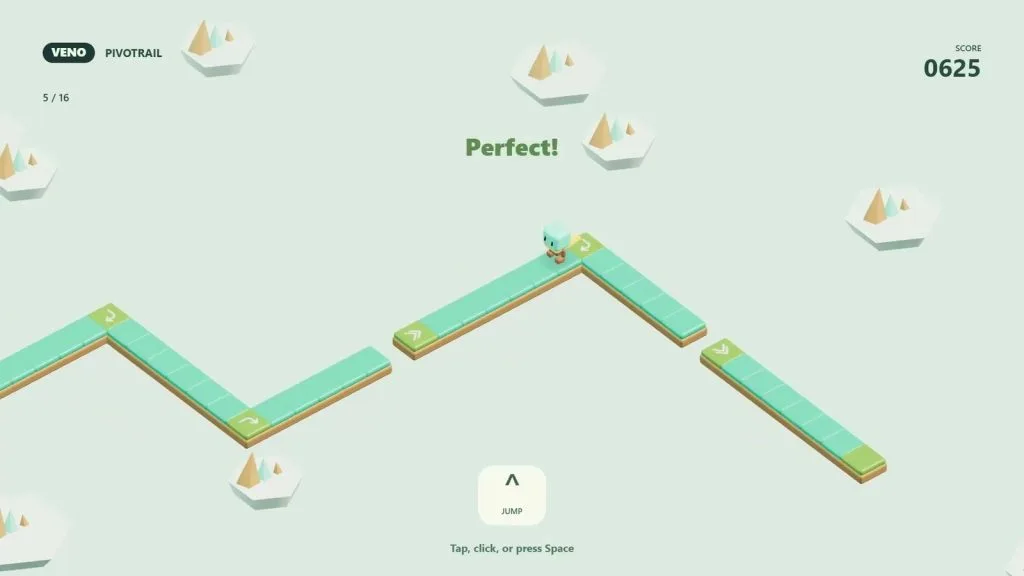
Timing games are games where the only question is when you press. You don’t steer, aim or choose a path; you wait for the right moment and tap. The game checks whether your tap landed inside a short “timing window”, gives a better grade if it landed close to the ideal moment, and punishes you if it came too early or too late. That simple loop is behind rhythm games, one-tap runners and many arcade classics.
| Quick facts | |
|---|---|
| What you control | Only the moment of a single input |
| Judged by | A timing window around an ideal moment |
| Typical grades | Miss, OK or Nice, Perfect |
| Common families | Rhythm games, one-tap runners, stacking and strength-tester games |
| Skill it trains | Steady attention, reading ahead and a calm rhythm |
| Example in this guide | VENO Pivotrail, a free one-tap 3D runner in the browser |
▶️ Watch it in action: VENO Pivotrail gameplay on YouTube · Short
What is a timing game?
Picture a runner that never stops. Ahead of it, a corner or a gap is coming. You have exactly one button. Press it at the right moment and the runner turns or jumps; press it at the wrong moment and the run ends. Everything that makes the game hard or easy comes from how the designer sets that “right moment”.
That is why timing games feel so different from action games with many buttons. There is nothing to learn about controls, so every mistake is about attention and rhythm. A new player and an expert press the same button; the expert simply presses it at a better time, more often.
The timing window, explained
Every timing game has a hidden ruler. Around the ideal moment there is a stretch of time in which a tap still counts. That stretch is the timing window. Inside it sits a smaller zone, the Perfect window, that rewards a very precise tap.
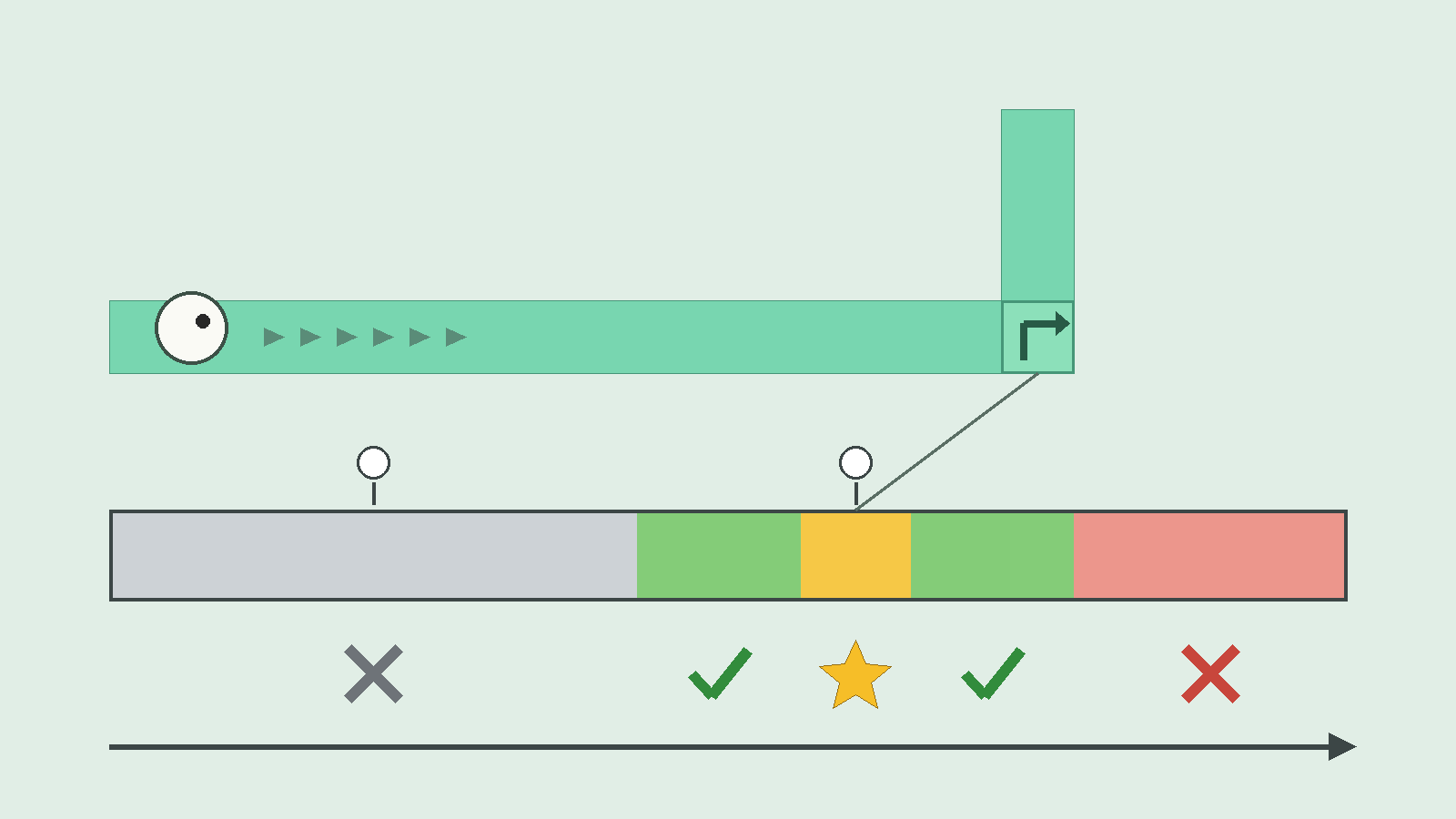
Here are the terms you will meet in almost every timing game:
| Term | What it means | Where you see it |
|---|---|---|
| Timing window | The span of time in which a tap counts | Every timing game |
| Perfect window | A narrow centre zone that gives a top grade or bonus | Rhythm games, one-tap runners |
| Early or late | A tap outside the window, before or after it | Every timing game |
| Input buffer | The game remembers an early tap and uses it when the window opens | Many platformers and fighting games |
| Coyote time | A short grace period to jump after you have already left a ledge, named after the cartoon coyote who runs off cliffs | Many platformers |
| Grades | Names for how close you were, for example Perfect, Great, Good | Dance Dance Revolution and other rhythm games |
Rhythm games made grades famous: Dance Dance Revolution, for example, judges each step and shows words such as Perfect or Great depending on how close you were to the beat. One-tap runners use the same idea with fewer words.
Two fair designs: buffer the tap, or ignore it
The biggest design choice in a timing game is what happens to a tap that comes too early.
| Input buffer | Early taps ignored | |
|---|---|---|
| What happens to an early tap | Stored for a moment, then used when the window opens | Thrown away |
| How it feels | Forgiving, sometimes “the game did it for me” | Strict but clear |
| What a mistake means | Sometimes unclear why you turned | Always your own timing |
| Good for | Fast action with many moves | Pure timing challenges |
VENO Pivotrail takes the second path. A tap only counts inside the cue window you can see on the track, and a tap that comes too early is ignored instead of being saved for the next cue. This makes nervous double taps harmless: an early tap does nothing at all, so you can still hit the real window a moment later. It also means there are no hidden input tricks; every fall comes down to timing.
Two cues, one button: reading the track
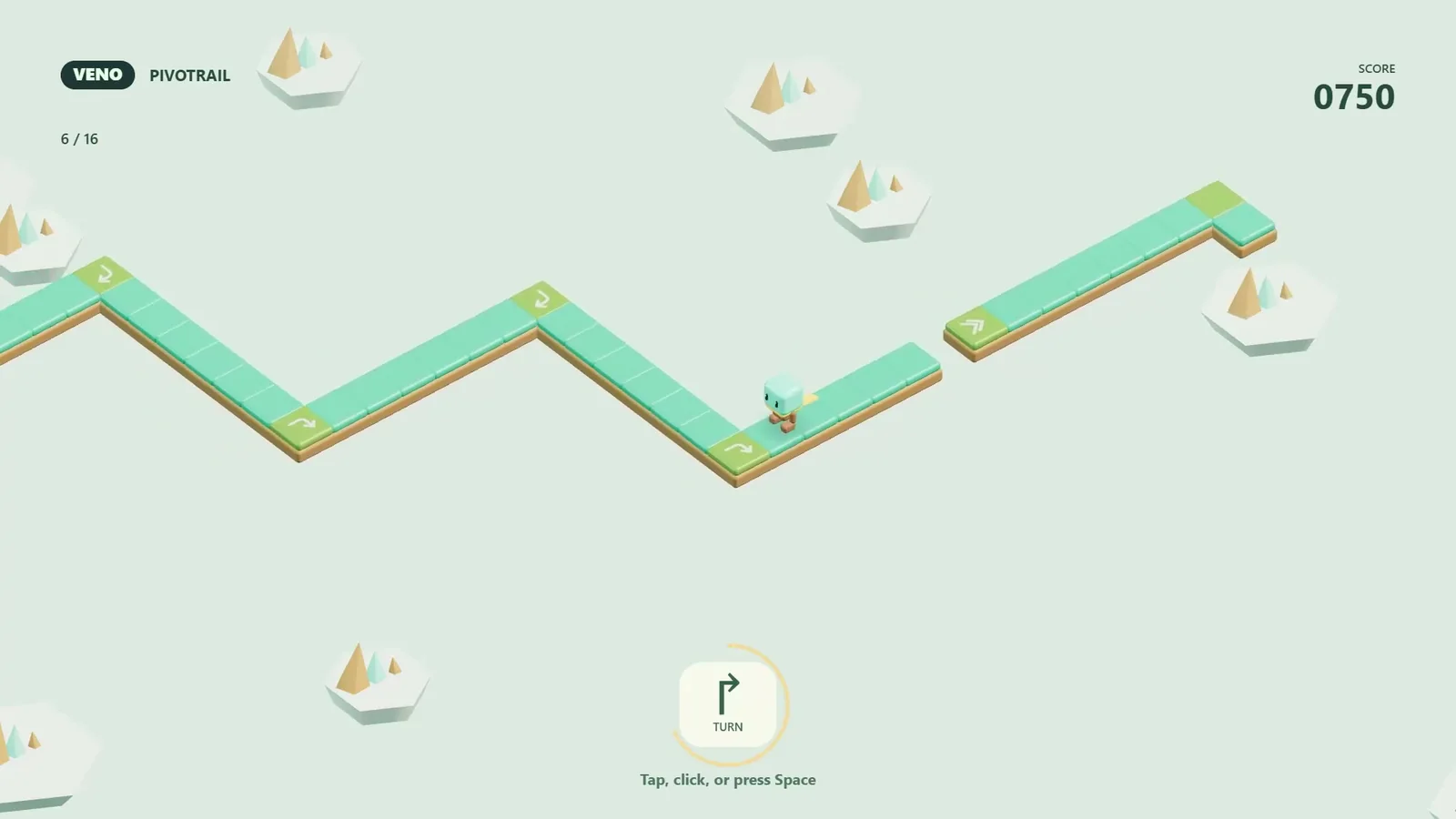
In Pivotrail the runner, a small rounded character called the Pathling, dashes along a floating porcelain track by itself. Two kinds of cue appear:
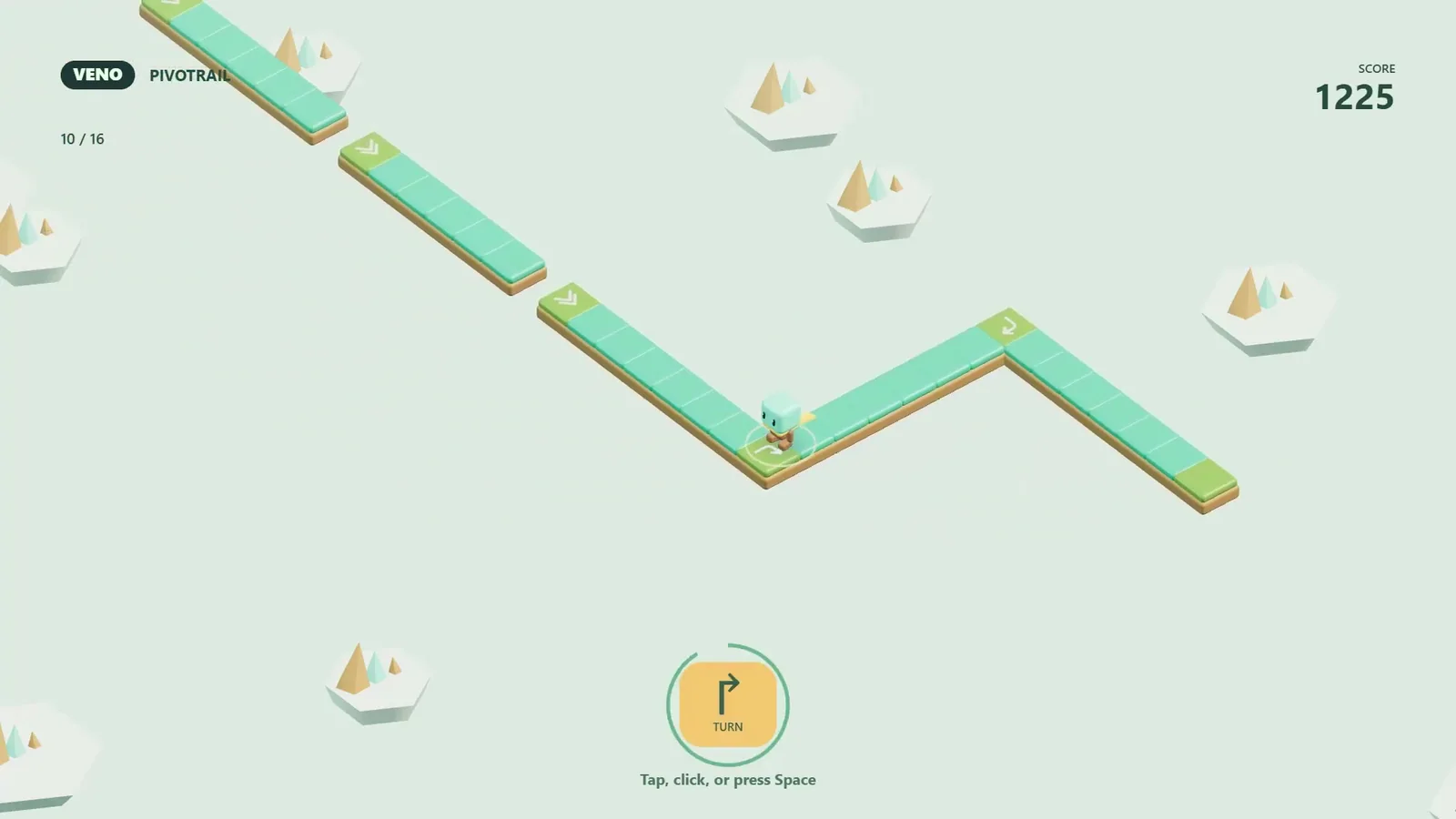
- TURN – a glyph on the tile before a corner. Tap and the runner pivots exactly 90°. The route decides left or right; you only decide when.
- JUMP – a glyph on the launch tile before a gap. Tap and the runner leaps across.
On desktop you can click or press Space; on a phone or tablet you tap the screen. The button at the bottom of the screen shows which cue is next, so you are never guessing which action a tap will trigger.
How Perfect taps change your score
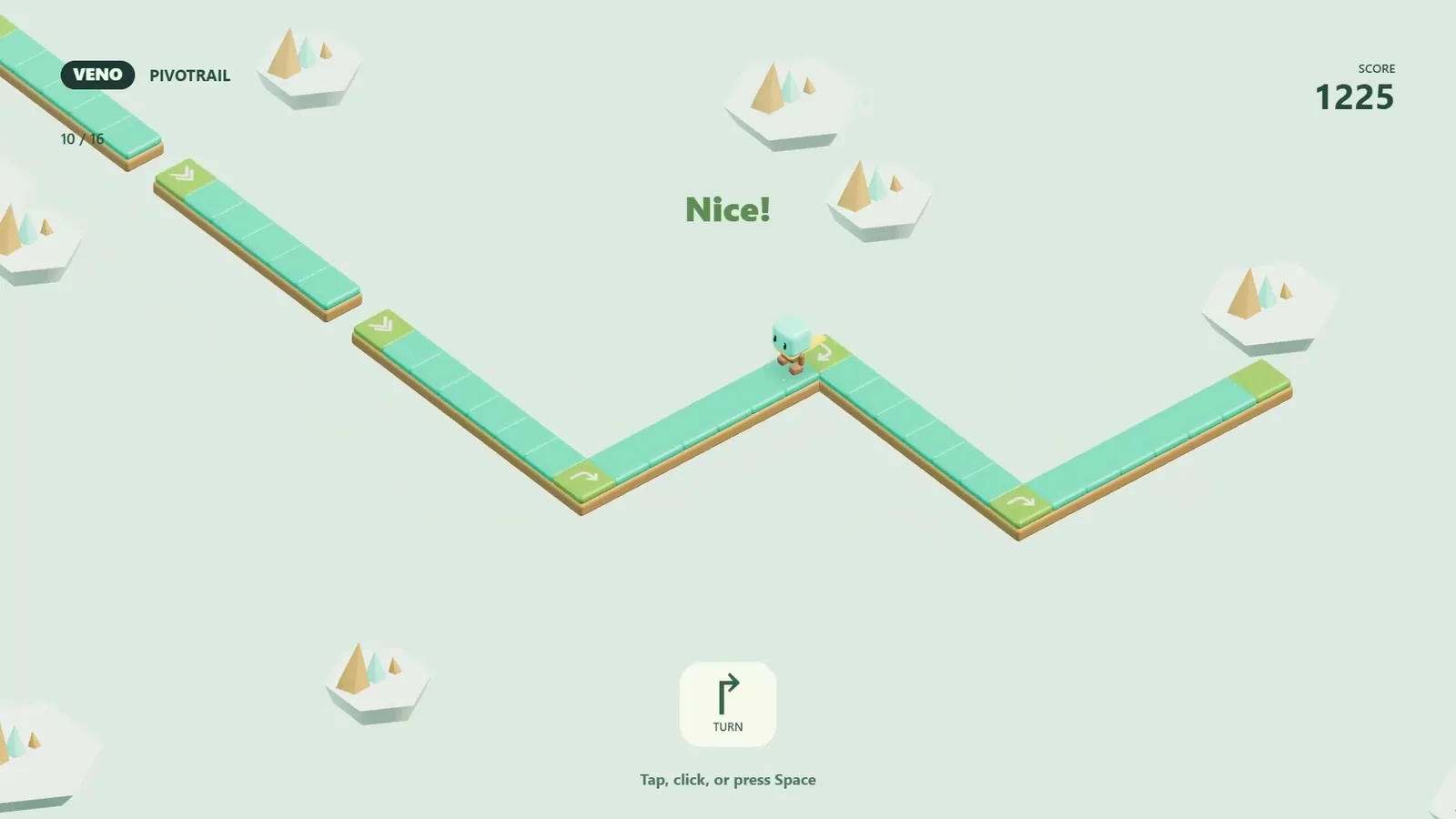
Pivotrail keeps the scoring simple. Each cleared cue is worth 100 points, and a Perfect tap close to the ideal mark adds a 25-point bonus. In the gameplay video the first course ends with 1,825 points and 9 Perfect taps. The maths works out neatly: 9 Perfects give 225 bonus points, and the other 1,600 points come from 16 cleared cues.
So a Perfect is worth a quarter of a cue. Chasing Perfects matters for stars and high scores, but never at the cost of the cue itself: a safe tap that clears the cue is worth four times more than the bonus you were hoping for.

A 6-step practice plan for any timing game
This plan uses Pivotrail’s modes, but the steps work for most timing games.
- Start in Practice at 50% speed. Practice shows the cue window and lets you slow the game to 50 or 75 percent. Watch where the window opens and closes.
- Say the cue out loud. “Turn, turn, jump.” Naming the next cue keeps your eyes one or two tiles ahead of the runner.
- Move to 75% and aim only for clean clears. No Perfects yet; just finish the course without falling.
- Go back to full speed in Journey. The hand-built courses in Porcelain Switchyard, Cloud Fold and Night Circuit teach patterns one theme at a time.
- Add Perfects on the long straights. Straight runs give you time to settle; corners in quick succession are where you just want a safe tap.
- Test yourself in 60-second Sprint and Daily Course. Sprint is a one-minute score attack, and the Daily Course gives everyone the same route each day, so you can compare runs fairly.
Common timing mistakes and quick fixes
| Mistake | What happens | Fix |
|---|---|---|
| Watching the runner, not the track | You react late | Look at the next cue, not the character |
| Tapping out of nerves on a long straight | Nothing (early taps are ignored), but you lose rhythm | Breathe and count the tiles |
| Chasing every Perfect | Late taps and falls | Clear first, polish later |
| Playing tired | Rhythm drifts | Short sessions; the restart is almost instant anyway |
Play it now
Want to feel the difference between a Nice and a Perfect? VENO Pivotrail is free in modern desktop and mobile browsers, in landscape or portrait, with the same look-ahead on the track in both. Style Tickets unlock skins, scarves, trails and finish poses, but they only change the look: speed, cue windows and jump length stay the same for everyone.
FAQ
What are timing games?
Games where your only real choice is when to press a button. The game checks whether your press lands inside a timing window and often rewards a very precise press with a Perfect grade.
What is a timing window in games?
The span of time around the ideal moment in which an input still counts. A smaller Perfect window in its centre gives a better grade or bonus.
Why do some games ignore early taps?
So that every result is clearly about timing. In VENO Pivotrail an early tap is ignored rather than saved, which means a nervous extra tap can’t trigger a turn by accident.
How do I get better at timing games?
Slow the game down if it lets you, read the next cue instead of watching your character, and aim for clean clears before Perfects. VENO Pivotrail has a Practice mode at 50% and 75% speed for exactly this.
Are timing games good for short breaks?
Yes. Courses are short, restarts are almost instant and there is only one button, so a few runs fit easily into a coffee break.