

Petal Ward is a free yokai defense game you play straight in a phone or desktop browser. You guard a glowing magic circle for eight waves while yokai close in from every side; your bolts fire automatically, a tap casts an extra shot, and a big Petal Burst wipes out a crowd. There is nothing to install and no account to create.
The game comes from the small studio OpenKrill and is built with Phaser 4, the open-source HTML5 game framework. Below you will find how a run works, what the upgrade web does, eight practical tips, and a short section for web developers on how the team got the mobile version so fast.
Petal Ward at a glance
| Genre | Wave defense / arena survival, one-thumb controls |
| Developer | OpenKrill |
| Engine | Phaser 4 (version 4.2.1) |
| Platforms | Phone and desktop web browsers |
| Price | Free, no install, no account |
| Goal | Hold the magic circle for 8 waves; the fox spirit comes last |
| Where to play | petalward.openkrill.app |
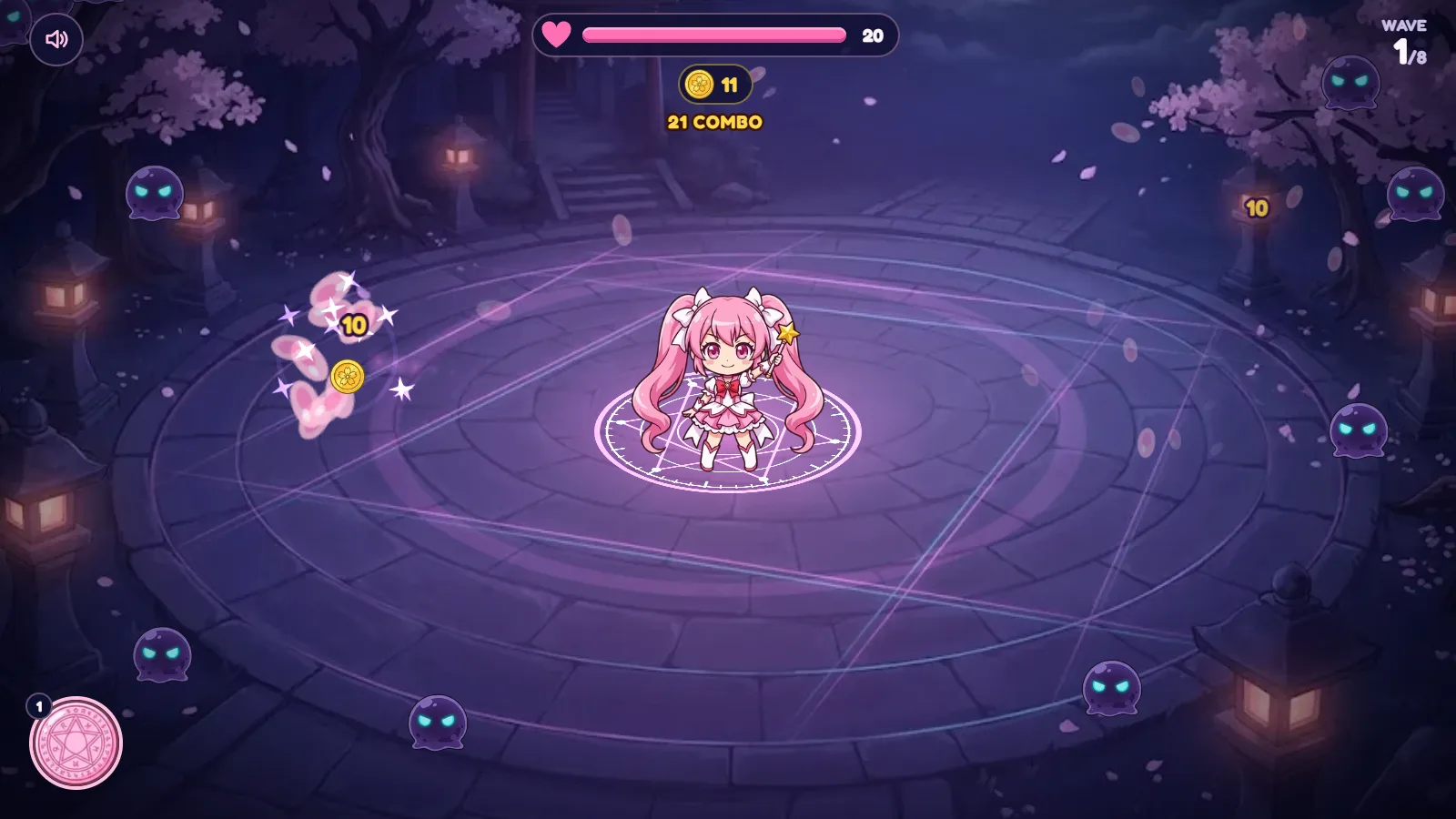
The heroine is Hana, a chibi girl with a star wand who stands in the middle of a moonlit shrine courtyard. Cherry petals drift across the screen, stone lanterns glow at the edges, and small shadow yokai with glowing eyes creep toward the circle.

How a run of Petal Ward plays
The controls are about as simple as an action game can get, which is exactly why it works on a phone held in one hand.
- Bolts fire on their own. Hana automatically shoots at nearby yokai, so you never have to aim every shot.
- Tap anywhere to cast. Each tap sends one more bolt at the nearest foe. Tapping fast keeps a combo counter climbing at the top of the screen.
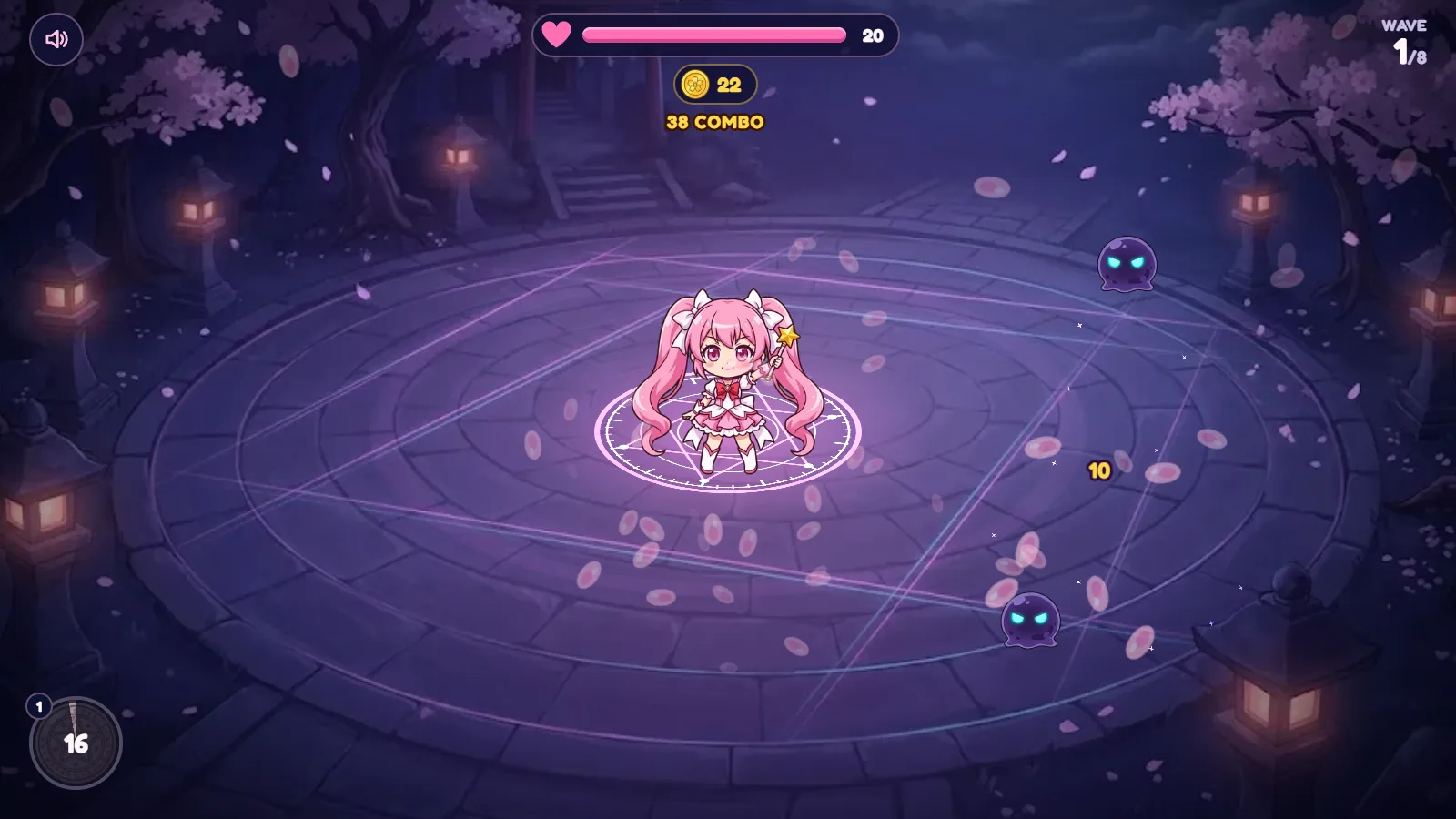
- Petal Burst for emergencies. The round button in the bottom-left corner fires Petal Burst, a screen-clearing blast for when the swarm gets too close. After use it shows a countdown before it is ready again.
- Collect coins. Every yokai you defeat drops coins, shown under the health bar.
- Survive the wave. Your circle has a heart bar (it starts at 20 in our test). When a wave is cleared you get a “CLEAR!” screen and can spend coins before the next one.
- Beat the fox spirit. The waves build toward a final boss, the fox spirit, which arrives last.

In our own test on desktop, the first wave fell in about 25 seconds of steady tapping, so a full run is short enough for a coffee break. The later waves are where the upgrades start to matter.
The upgrade web: lightning, fire, shields and crits
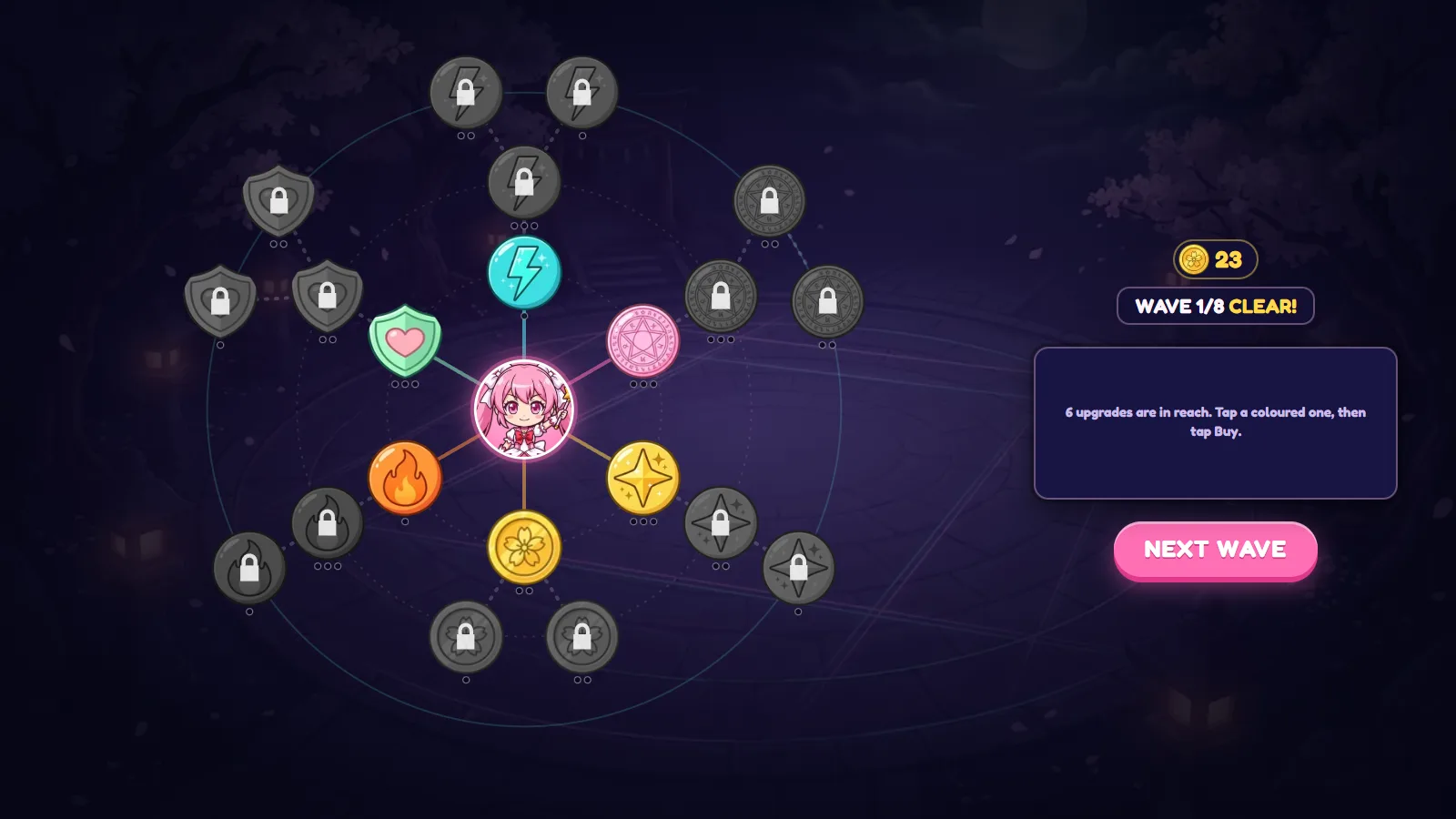
Between waves Petal Ward opens an upgrade web: Hana sits in the middle and branches spread out to coloured nodes. Coloured nodes are ones you can afford right now; grey nodes with a lock open up further along each branch. The game tells you exactly how to use it: tap an upgrade once to read what it does, then tap it again to buy.
The developers describe four families in the web: lightning, fire, shields and crits. On screen they appear as a cyan lightning node, an orange flame, a green heart shield and gold star and petal nodes around Hana, each leading to locked follow-up nodes. The exact numbers are shown in the game when you tap a node, so read them there rather than guessing.
After the first wave of our run, the screen said “6 upgrades are in reach” with 23 coins in the pocket, so you get real choices from the start rather than one forced pick.
8 tips to hold the circle for all eight waves
- Tap constantly, but tap where it matters. A tap targets the nearest foe, so tapping simply keeps damage flowing toward the yokai that are about to reach you.
- Watch the combo counter. A climbing combo means you are clearing yokai before they touch the circle. If it resets often, you need more damage, not more shields.
- Save Petal Burst for real swarms. It has a cooldown, so firing it on two yokai leaves you empty-handed when ten arrive at once.
- Read every upgrade before buying. The tap-to-read, tap-to-buy design means there is no penalty for checking each node first.
- Pick one damage branch early. Spreading coins thinly across all four branches is weaker than pushing one branch deep enough to unlock its locked nodes.
- Add shields before the final waves. The fox spirit comes last; a stronger shield branch gives you room for mistakes in that fight.
- Play with sound on a phone. Audio makes it easier to notice a hit on the circle when your thumb is covering part of the screen.
- Costumes are cosmetic. The Wardrobe changes only how Hana looks (“looks only, no power”), so you never need to unlock a costume to win. The game states that prices are shown before you pay and nothing is random; one costume is marked as available in the Telegram version.
What web game developers can learn from Petal Ward
OpenKrill shared one technical choice that is worth copying in any HTML5 game that has to load fast on phones:
- The game rules live in plain TypeScript with no Phaser import. Waves, damage, coins and upgrades are ordinary code that does not depend on the renderer.
- The Phaser renderer loads as a lazy chunk. The page can show something useful before the heavier engine code arrives.
According to the team, that split took the game’s mobile Lighthouse performance score from 70 to 99. Keeping rules separate from rendering also makes the logic easier to test without a browser and easier to reuse if you ever move to another renderer.
The studio also says the art and code were made with help from generative AI tools, which is useful context for anyone comparing production approaches for small web games.
| Technique | Why it helps on mobile |
|---|---|
| Rules in plain TypeScript | Smaller first download, logic testable on its own |
| Lazy-loaded Phaser renderer | Faster first paint, engine arrives when needed |
| One-thumb controls | Works in portrait on any phone |
| Short waves | Fits a quick session, easy to restart |
If you build with Phaser yourself, the official Phaser website has the current Phaser 4 releases and documentation.
Who will enjoy Petal Ward?
Petal Ward is a good pick if you like quick arena games where you only need one thumb, cute anime-style art and a light layer of strategy between rounds. It is not a deep tower defense with maps and towers to place; it is closer to a compact survival game where your choices happen in the upgrade web. Because it runs in the browser, it is easy to try on a work break or share with a friend by link.
FAQ
Is Petal Ward free to play?
Yes. Petal Ward is free in phone and desktop browsers, with no install and no account. Costumes in the Wardrobe change only how Hana looks.
What engine is Petal Ward made with?
It is built with Phaser 4 (version 4.2.1), the open-source HTML5 game framework, with the game rules written in plain TypeScript.
How many waves are in Petal Ward?
A run has eight waves, and the fox spirit arrives last.
How do the controls work?
Bolts fire automatically, tapping anywhere casts one more bolt at the nearest foe, and the Petal Burst button clears a crowd when it is off cooldown.
Can I play Petal Ward on my phone?
Yes. It was made for phone and desktop browsers and plays well in portrait with one thumb.
Where can I play it?
On the official game page, petalward.openkrill.app.