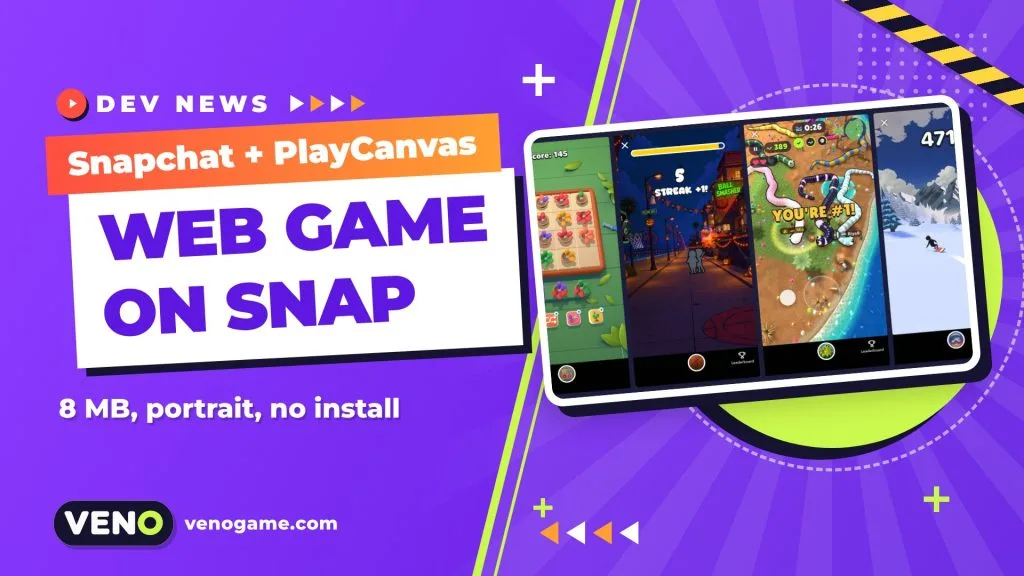
Snapchat Web Lenses let you take an ordinary HTML5 game, zip the build and publish it inside Snapchat as a Lens. Games are the first use case, the feature is in beta, and while any web framework can be used, Snap recommends PlayCanvas and uses it throughout its documentation. You never have to open Lens Studio.
PlayCanvas announced the support on 23 October 2026, together with four of the first games already live. This guide explains what a Web Lens is, the hard limits your build must meet, what the Web Lens API gives you, and a practical five-step path from a web build to a game players can find by name or Snapcode.
Snapchat Web Lenses at a glance
| What it is | A web app packaged as a zip and published as a Snapchat Lens |
| Platforms | Snapchat for iOS and Android |
| Screen | Full-screen portrait, 9:16 (landscape is not supported) |
| Engine | Any web framework; PlayCanvas recommended by Snap |
| Package size | Zip up to 8 MB, index.html up to 1 MB at the zip root |
| Runtime | WebAssembly (including multithreaded), Web Workers and eval() supported |
| Sandbox | No network, camera, microphone or motion sensors |
| Snapchat features | Leaderboards, Bitmoji and Storage through the Web Lens API |
| Status | Beta; details can change |
Why web game developers should care
Snapchat is used by 971 million people every month, according to Snap’s second-quarter 2026 results, and Snap reports that its Game Lenses engage more than 175 million people monthly. Web Lenses open that audience to web developers without an app store listing or an install: players launch a game the same way they try any Lens.
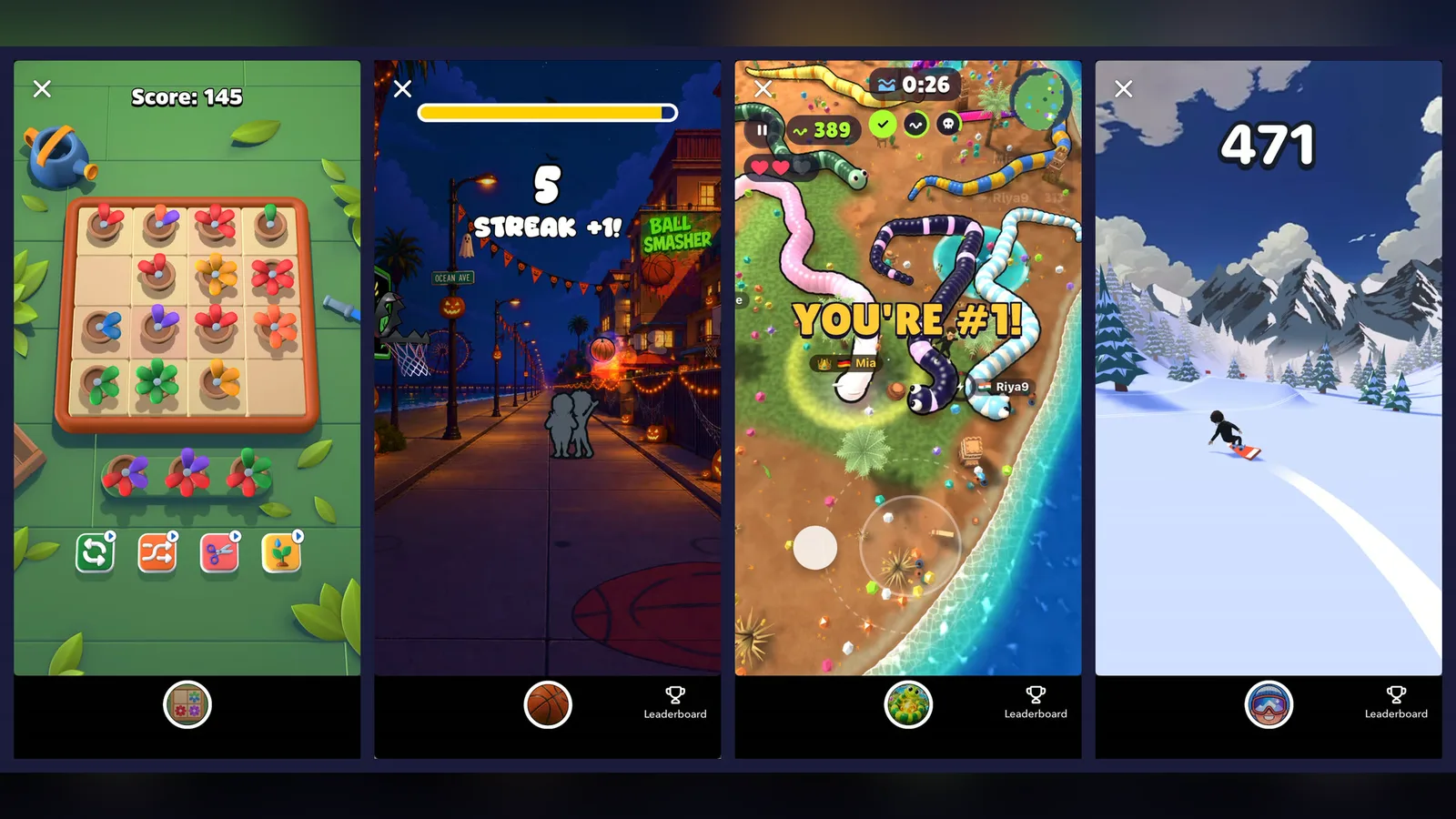
The early numbers shared by the first developers give a sense of what is possible:
| Game | Studio | Genre | What the developer reported |
|---|---|---|---|
| Bloom | NOWWA | Cozy garden puzzle | About 260 seconds per session on average, almost 30% come back the next day |
| Ball Smasher | MetaM | Street basketball shooter | Prototyped in hours, millions of plays in days |
| Snake Showdown | Elanra Studios | Snake battle | 7 million plays from 1.8 million players in the first four weeks |
| Bitmoji Ski | Snap | Ski arcade | Built in a day, 6 million impressions a day |
For monetization, Snap’s Lens+ Payouts program lets eligible creators (18+, in eligible countries) mark a Lens as exclusive to Lens+ and Platinum subscribers and earn a revenue share based on engagement. Snap is also inviting developers to pitch original Web Lens games for development funding, with priority for games built around a social loop such as leaderboards.
The rules your build has to follow
Most rejected uploads come from a handful of packaging mistakes, so learn these before you write any game code.
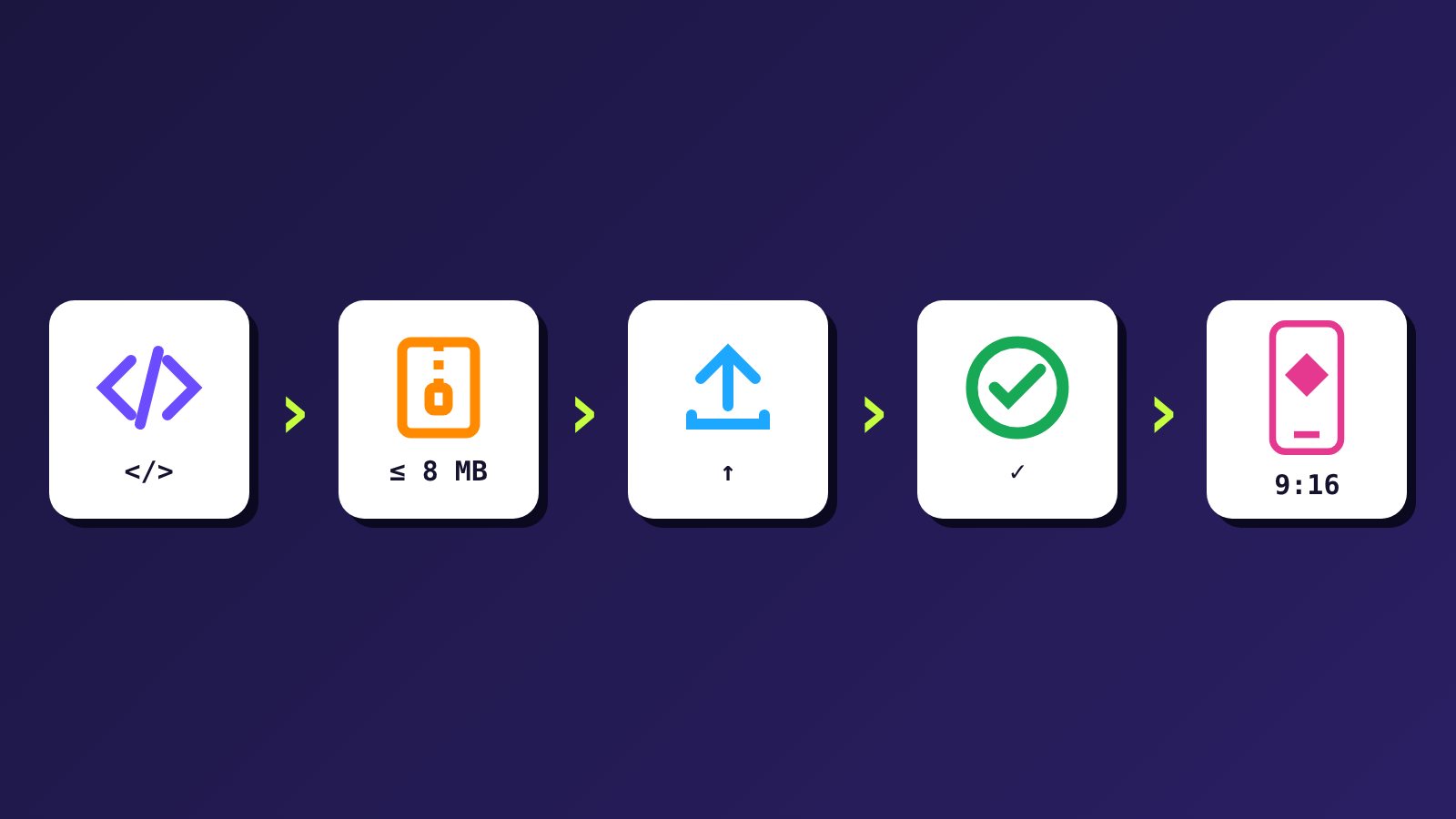
- Portrait only. Lenses run full screen at 9:16. Design your camera, HUD and buttons for one hand from the start.
- Zip of 8 MB or less. The limit applies to the compressed upload. Treat it as a ceiling, not a target: a smaller zip loads faster, and time to first play matters most.
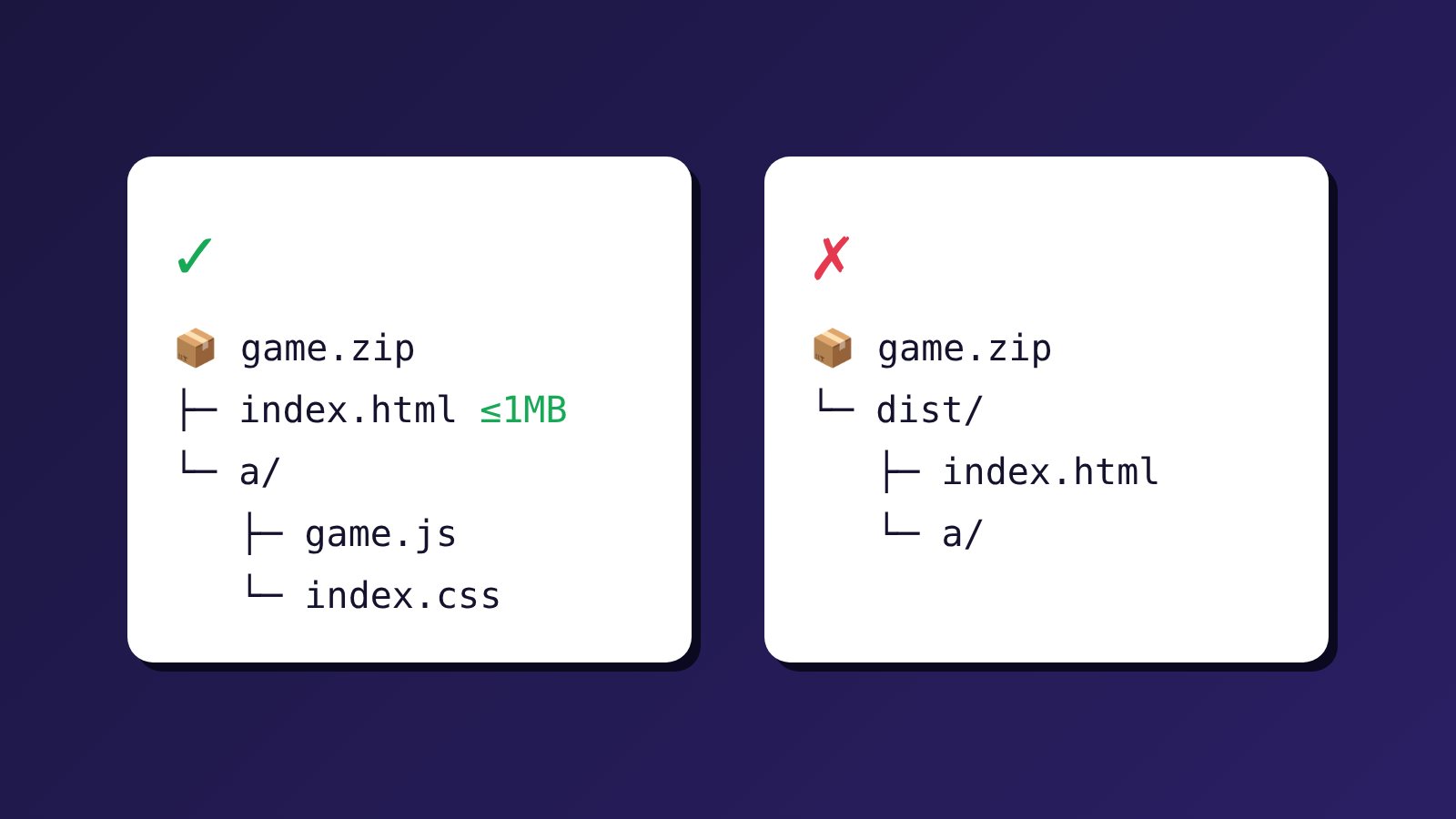
index.htmlat the root, 1 MB or less. Zip the contents of your build folder, not the folder itself. Keepindex.htmla thin entry point and do not inline the whole bundle or bigdata:URLs into it.- Relative paths everywhere. Use
./a/game.js, never/a/game.js, in HTML and in runtimefetch()calls. With Vite, setbase: './'. - Forward slashes in the zip. On Windows, PowerShell’s
Compress-Archivewrites backslashes and breaks paths. Use Explorer’s “Compress to ZIP file”,zip -r, or a Node script with thearchiverpackage, then check withunzip -l.
The sandbox: what a Web Lens cannot do
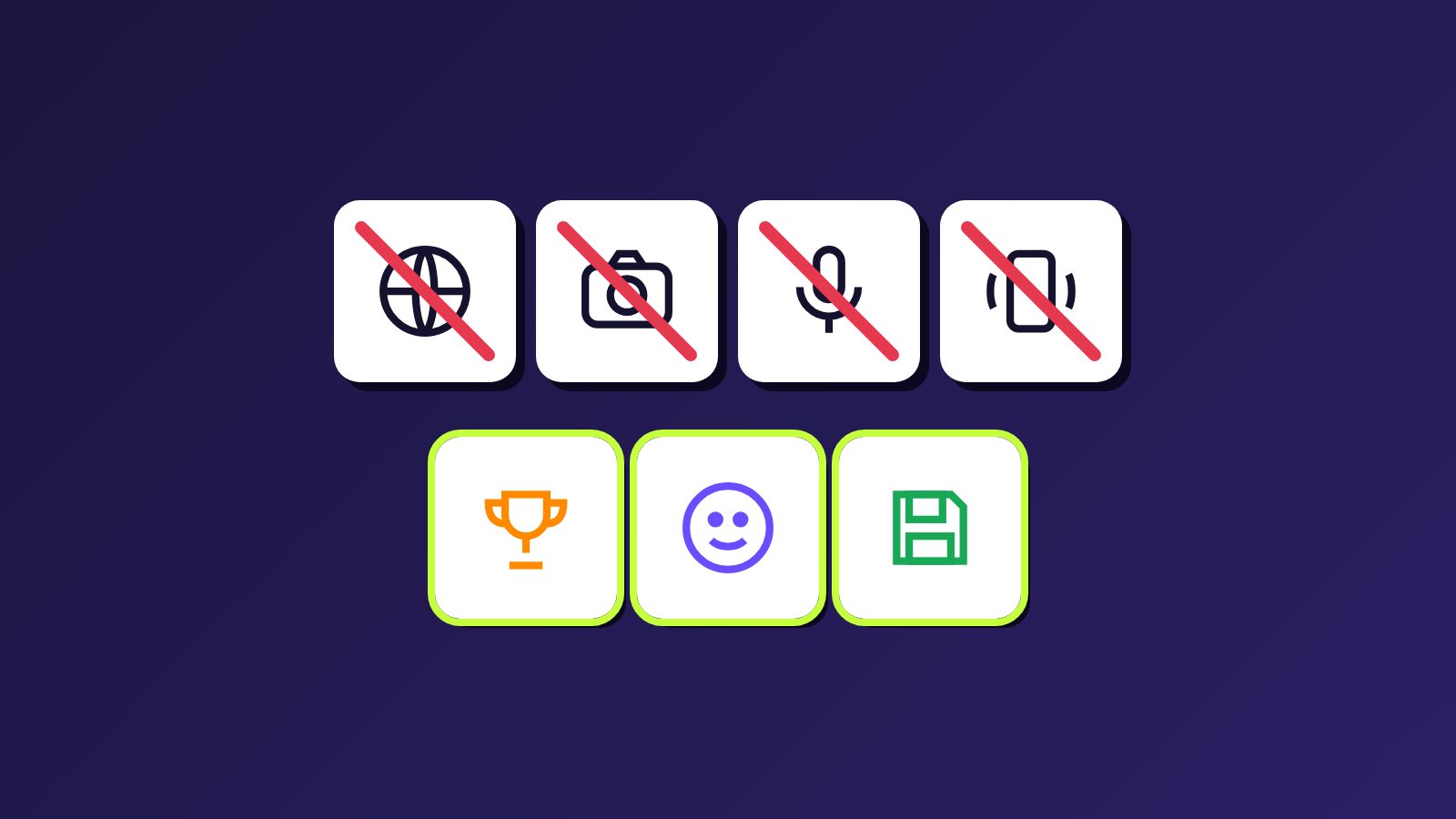
A Web Lens is self-contained. It cannot reach the network, use the camera or microphone, or read motion sensors, and localStorage and IndexedDB start empty on every launch. In practice that means:
- Every script, model, texture, font and sound must ship inside the zip.
- No analytics calls, remote config or online multiplayer backend.
- Progress must be saved with the Web Lens API’s Storage capability.
The Web Lens API: leaderboards, Bitmoji and storage
Snap’s API (npm package @snap/web-lens-api) connects your game to Snapchat. You call init() once at startup and check isSupported() before using a capability. Outside Snapchat, on your desktop or local dev server, the API answers from a built-in stub with sample data, so you can develop without a phone — just keep the game playable if a capability is missing.
| Capability | What it does | Things to know |
|---|---|---|
| Leaderboards | Submit a score and open Snapchat’s own leaderboard panel | Scores must be integers; use ascending order for time trials; friends can get a notification when their score is beaten |
| Bitmoji | Load the player’s Bitmoji as a rigged 3D GLB or a 2D head-and-shoulders image | The URL expires after about five minutes; Bitmoji ship without animations; always bundle a default character |
| Storage | A small key-value store tied to the player’s account | Each value is JSON up to 32 KiB, 100 KiB total per Lens per player; save when progress changes and when the page is hidden |
A good leaderboard rewards something players want to improve — accuracy, speed or survival — and makes another attempt one tap away. Saved progress deserves the same thought: decide what must survive a session (best score, unlocked stage) and what can safely reset.
From web build to published Lens in 5 steps
- Choose a workflow. Either the PlayCanvas Engine as a normal JavaScript project (ideal with an AI coding assistant), scaffolded with
npm create playcanvas@latest my-lens -- --starter web-lens, or the browser-based PlayCanvas Editor, which can connect to AI assistants through its Editor MCP Server. The starter already wires up the portrait layout, safe area, relative paths, packaging and the Web Lens API. - Add the PlayCanvas Skills (optional).
npx skills add playcanvas/skillsteaches compatible AI coding agents how to set up scenes, animation, HUDs and effects in PlayCanvas. - Build for the phone. Keep the HUD inside
env(safe-area-inset-*)because Snapchat draws its own close button near the top, scale motion by elapsed time (many phones run at 120 Hz), start audio from a user gesture and pause when the Lens is hidden. Import engine classes by name so the bundler can drop unused code, compress textures and skip source maps. - Integrate the API. Submit scores at game over, load a Bitmoji if you want one, and save progress with Storage.
- Package, upload and submit. In a starter project,
npm run packagebuilds and checks the zip against Snap’s rules. Then sign in to My Lenses, create a Web Lens, upload the zip and add a name, a 512 × 512 PNG icon and a 5-second 720 × 1280 preview video. After review, players can find the game by name or Snapcode.
Prefer not to code at all? Snap’s Easy Lens, its AI Lens creator, can now build Web Lens games powered by PlayCanvas from a text prompt; it is available to Lens+ subscribers on Easy Lens web.
Which games fit a Web Lens best?
| Good fit | Poor fit |
|---|---|
| One-thumb arcade, puzzle and score-chasing games | Landscape or keyboard-and-mouse games |
| Short sessions with instant restart | Long sessions that depend on a server |
| Small, compressed assets | Large asset downloads at runtime |
| Leaderboard-driven competition | Real-time online multiplayer |
Start with a small project that has a short path from launch to play. Test touch controls, screen edges, audio, pausing and restarting on a real phone (npx vite preview --host lets you open the build on your phone’s browser), and keep notes on every platform-specific change so later updates do not undo them.
For the official details, read Snap’s Web Lenses documentation, the platform requirements and the PlayCanvas announcement.
FAQ
What is a Snapchat Web Lens?
A Web Lens is a web app that runs inside Snapchat as a Lens. You build it with web technology, zip the build and upload it through My Lenses, without Lens Studio.
Do I have to use PlayCanvas?
No. Any web framework can be used, but Snap recommends PlayCanvas and its documentation uses PlayCanvas with Vite.
How big can a Web Lens game be?
The compressed zip can be up to 8 MB, and index.html at its root up to 1 MB. These are beta limits, so check the current requirements before you upload.
Can a Web Lens use the internet or multiplayer servers?
No. A Web Lens cannot reach the network, so all assets must be bundled and online multiplayer backends are not an option. Leaderboards come through the Web Lens API instead.
How do I save player progress?
Use the Storage capability of the Web Lens API. Normal browser storage starts empty every time the Lens opens.
Can I earn money from a Web Lens game?
Eligible creators can join Lens+ Payouts, which shares revenue for Lenses marked as exclusive to Lens+ and Platinum subscribers, and Snap is accepting pitches for funded games.