
Cosmo Tree Gen is a free, open-source Godot tree generator: a plugin that builds procedural trees live inside the Godot 4 editor, lets you save them as presets and exports them to glb/glTF with LODs and collision shapes already made. It is released under the MIT license, needs Godot 4.6 or later, and version 1.0.0 arrived on 8 November 2026.
Its developer, who publishes on GitHub as FrogCosmonaut, built it after getting tired of modelling trees by hand. For anyone making a forest, a park or a low-poly world in Godot — including web and mobile games where every triangle counts — it turns weeks of modelling into a few sliders and a seed button.
Cosmo Tree Gen at a glance
| What it is | Procedural tree generator plugin for Godot 4 |
| Developer | FrogCosmonaut (GitHub) |
| License | MIT, free and open source |
| Requires | Godot 4.6+ (developed in 4.6.2) |
| Latest release | v1.0.0, 8 November 2026 (first public beta 0.5.0 on 3 November) |
| Exports | glb / glTF with LOD0–LOD2 and collisions |
| Presets | 4 built in + 7 more in the demo folder |
| AI use | The developer states the project is 100% human-made |
| Download | github.com/FrogCosmonaut/cosmo_tree_gen |
What Cosmo Tree Gen can generate
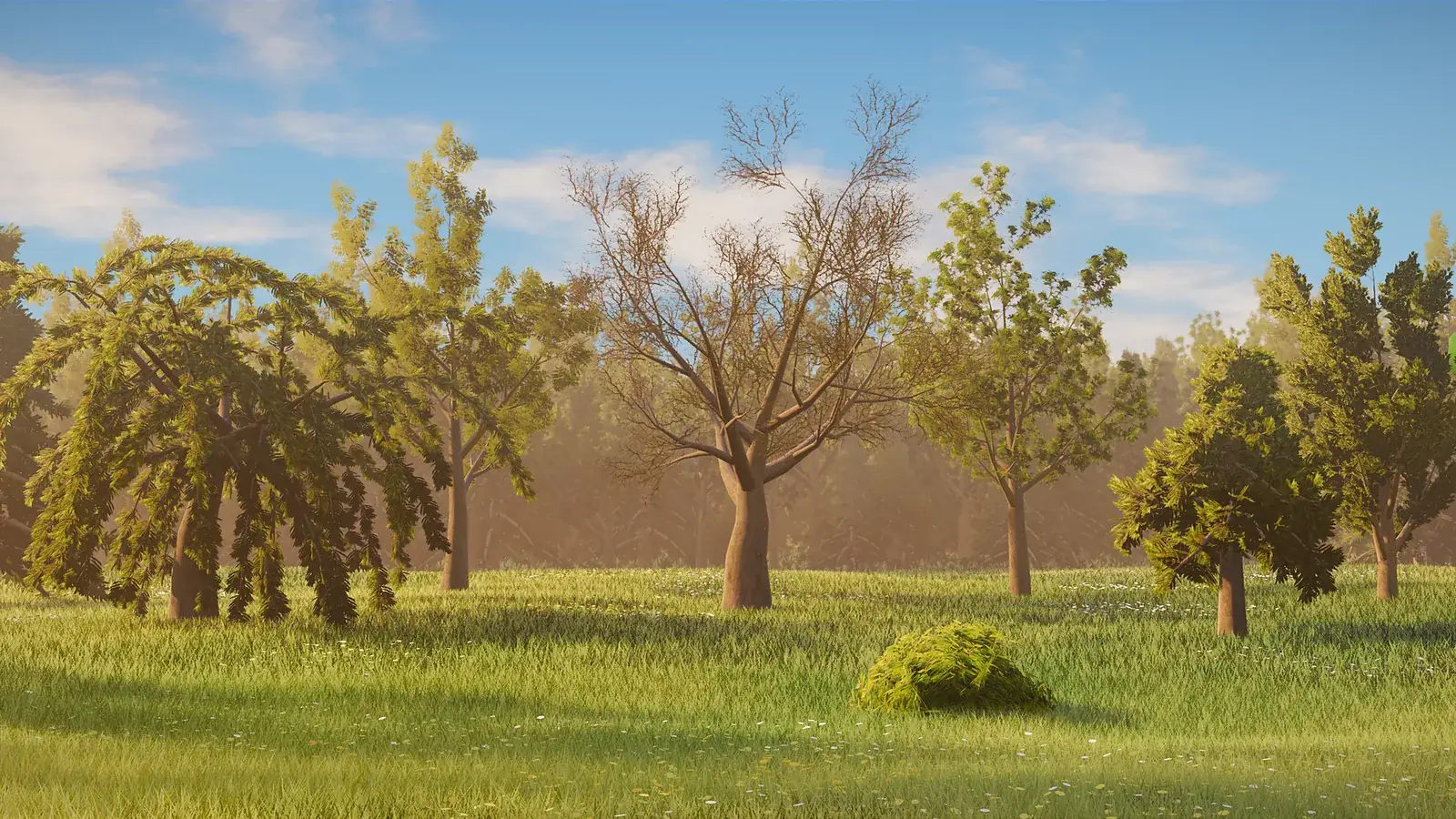
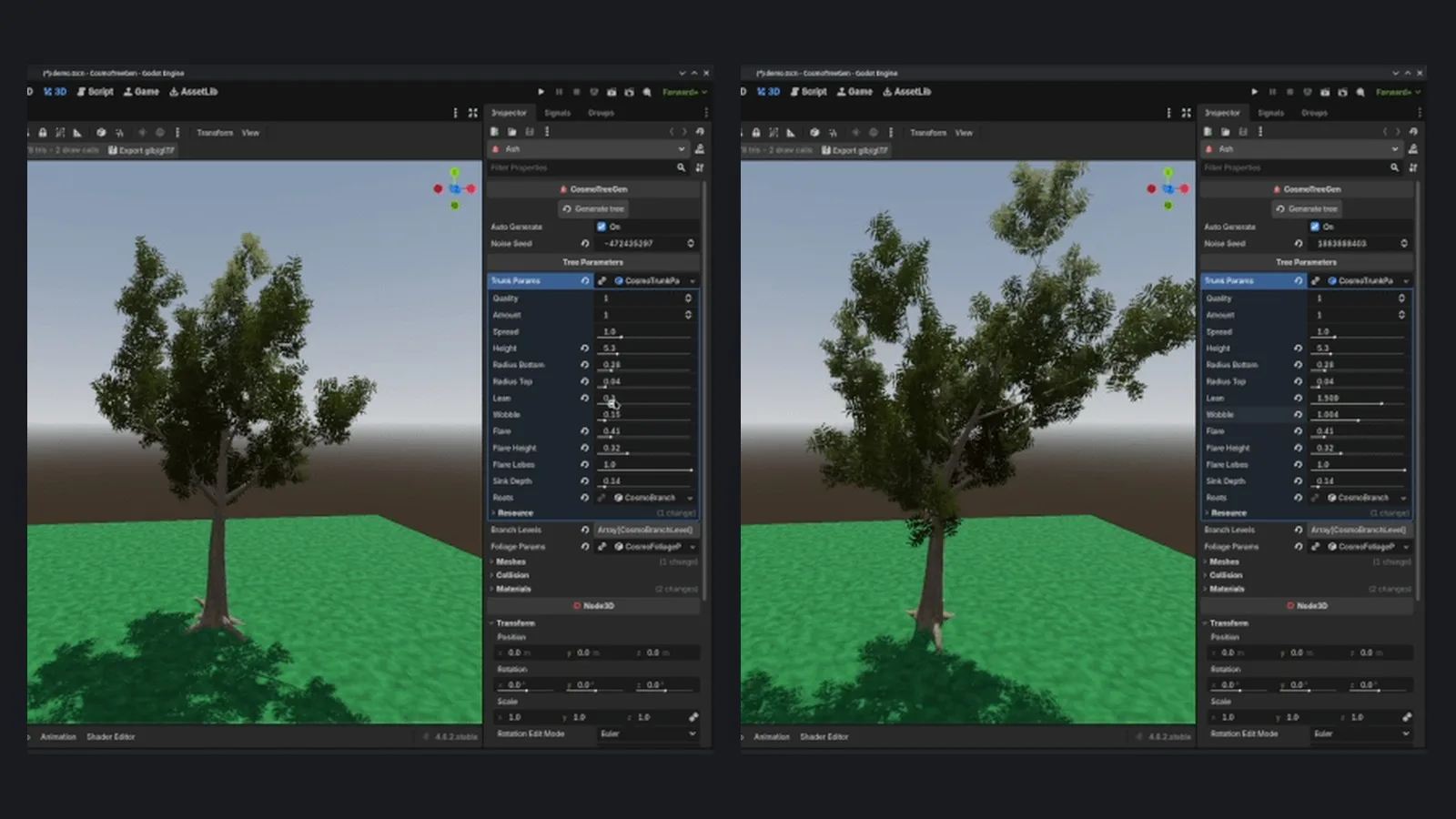
The generator is driven by custom Godot Resources, so every tree is a set of parameters you can tweak and save. The main building blocks are:
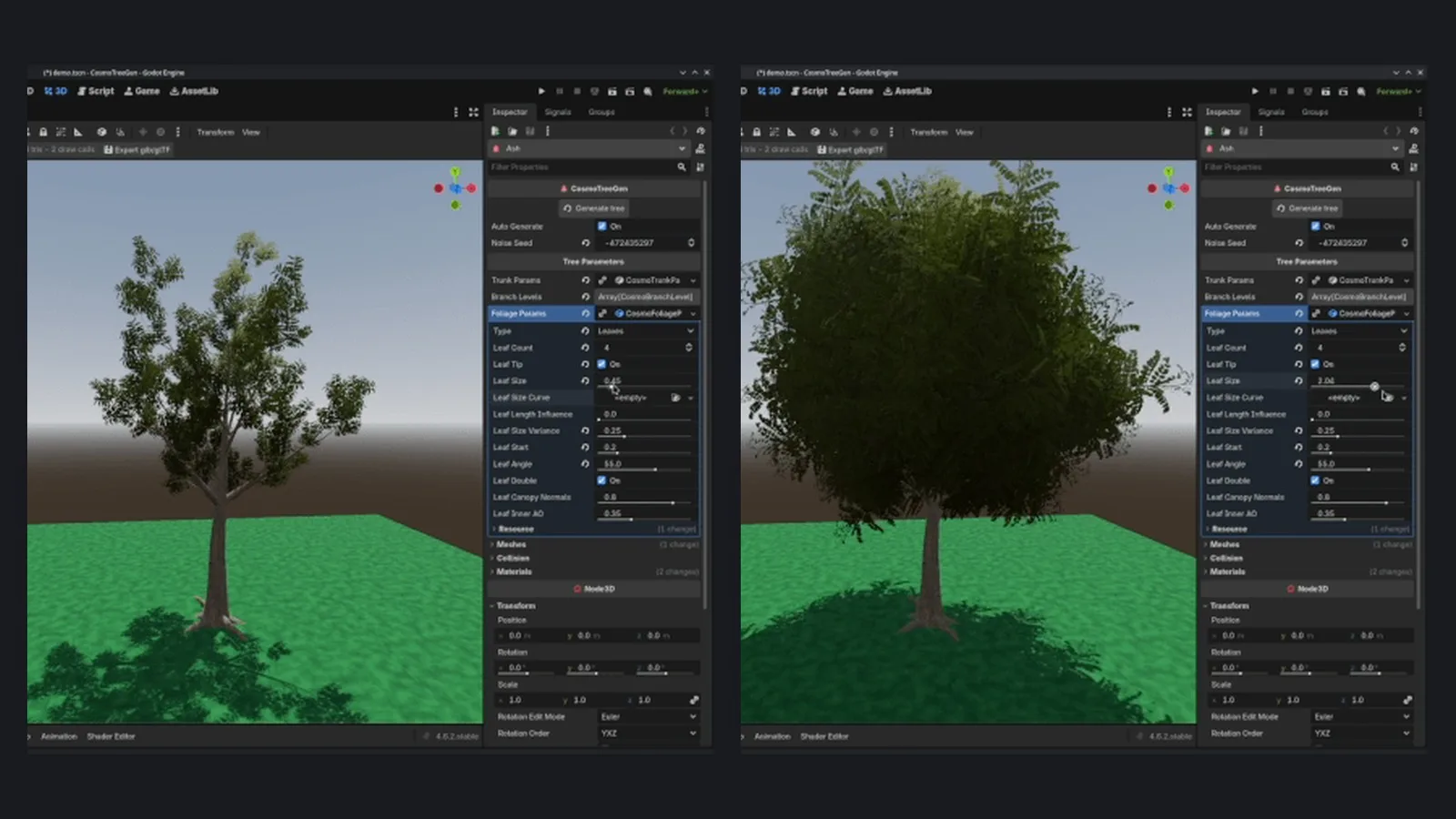
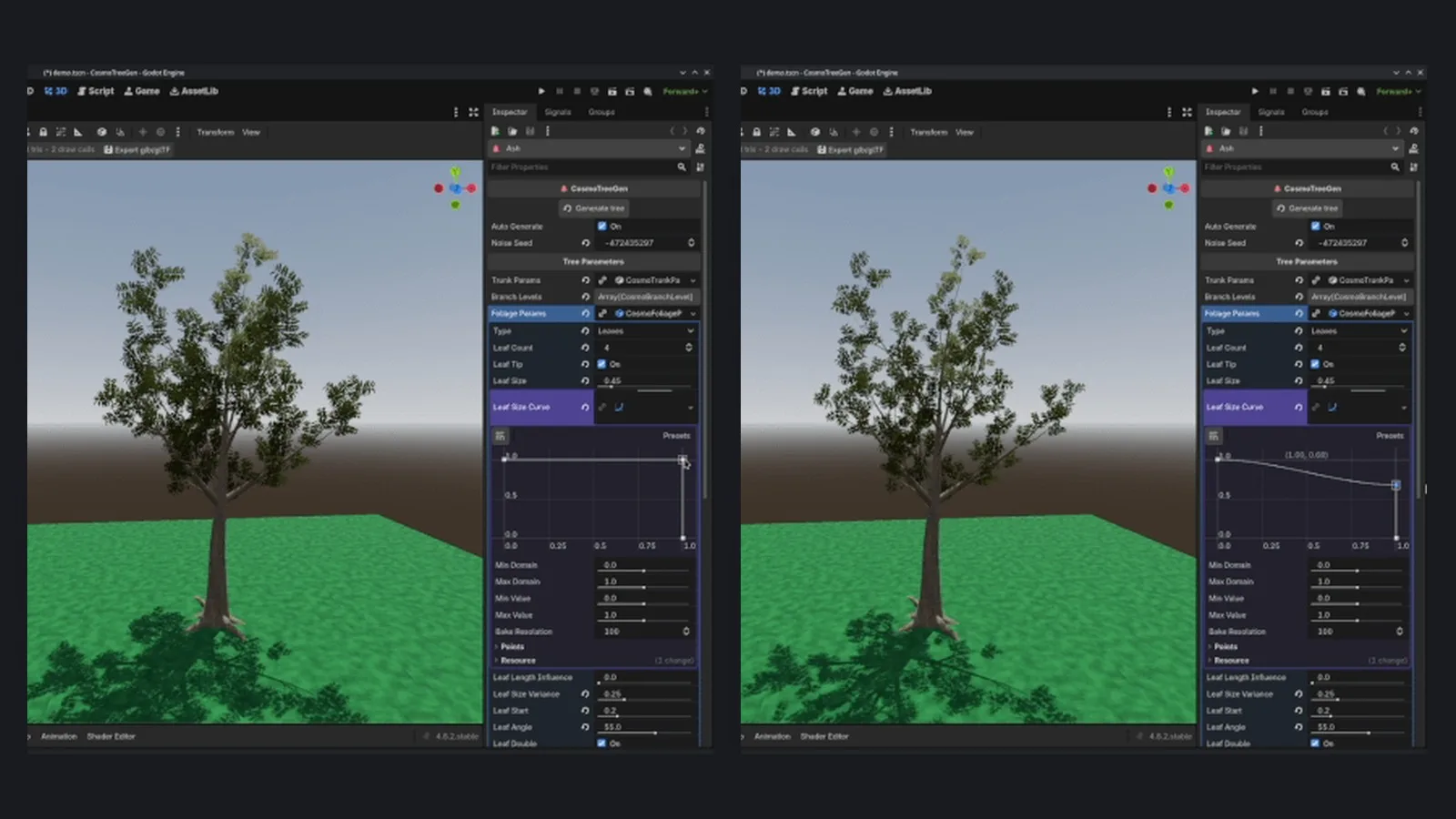
- Trunks and branches. Several trunks per node, optional roots, and broken branches added by chance. Branch length per level and leaf card size are controlled by curves.
- Foliage, two ways. Icosphere blobs with a configurable subdivision level (great for stylised and low-poly trees) or card leaves, single or double sided, with canopy normals and inner ambient occlusion.
- A leaf shader with wind sway. It also limits mipmaps so alpha-scissored leaves do not vanish in the distance.
- Flat shading. An optional switch for a PSX/PS2-style look.
Presets and seeds
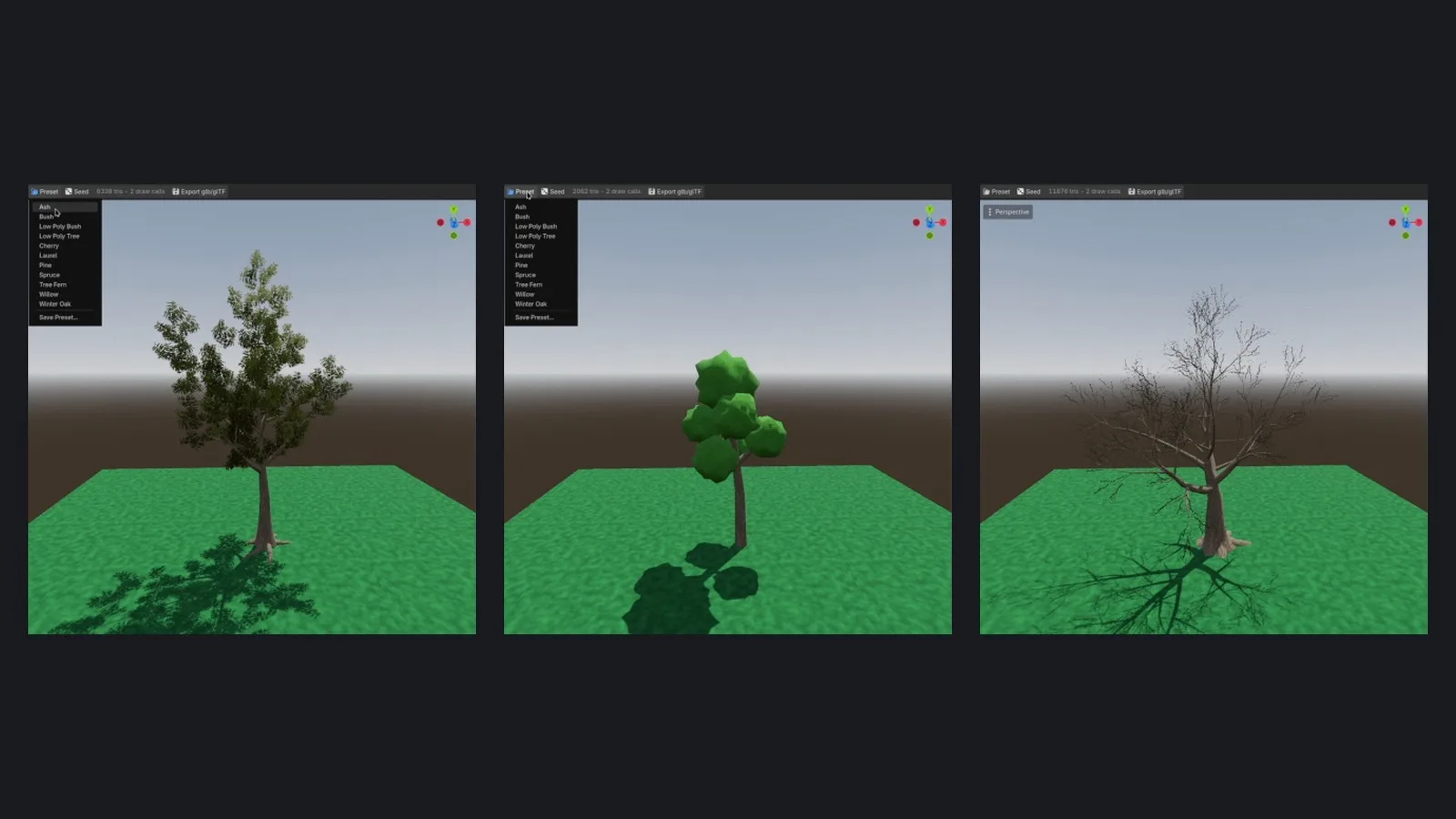
Four presets ship with the plugin — Ash, Bush, Low Poly Bush and Low Poly Tree — and seven more are in the demo folder. You can save your own as CosmoTreePreset resources. The editor toolbar loads and saves presets, randomises the seed and shows a draw call and triangle counter for each tree, which is exactly the number you need to watch for web and mobile builds.
Built for real games: LODs, collisions and export
Pretty trees are only half the job; a game also needs them to be cheap to draw and solid to walk into. Cosmo Tree Gen handles both.
| Feature | What you get | Why it matters |
|---|---|---|
| Automatic LODs | LOD0, LOD1 and LOD2 meshes with configurable triangle budgets and distances | Distant trees cost far fewer triangles |
| Smart simplification | The trunk is simplified first; leaf cards become fewer and bigger instead of being cut | Canopies keep their shape at a distance |
| Collision shapes | One convex shape per branch, per branch segment, or a single trimesh | Choose between accuracy and physics cost |
| Collision level and height | Pick which branch levels collide (0 = trunk only) and cut collisions above a height | Players bump into trunks, not into leaves overhead |
| Foliage collision | A hull around the whole canopy or spheres on branch tips | Useful for projectiles or flying characters |
| glb/glTF export | Exported with LODs and collisions, optionally linking materials in the .import file |
Reuse trees in any scene or project |
| Script API | export_gltf for generating many trees in batch |
Build a whole forest of variations at once |
How to install and use Cosmo Tree Gen
- Check your Godot version. You need Godot 4.6 or newer.
- Download the plugin from the GitHub repository or its releases page.
- Copy
addons/cosmo_tree_gen/into your project and enable it in Project Settings → Plugins. - Add a
CosmoTreeGennode to your scene. - Pick a preset from the toolbar, or edit
trunk_params,foliage_paramsand thebranch_levelslist. - Assign materials — your own, or the bark and foliage materials included with the addon. Icosphere foliage needs a material with UV1 Triplanar.
- Turn on collisions with
collision_typeandcollision_level, and check them withpreview_collision. - Toggle
generate_lodand set triangle budgets and distances in the project settings. - Use the tree directly for prototyping, or export it as glb/glTF from the toolbar.
Tips for web and mobile Godot games
- Watch the counters. The per-tree draw call and triangle readout tells you early whether a tree will hurt frame rate on phones or in a browser.
- Lean on low-poly presets. Icosphere foliage and flat shading give a clean stylised look with far fewer triangles than dense leaf cards.
- Export once, instance many times. Generate a handful of variations with different seeds, export them, and reuse those meshes instead of generating trees at runtime.
- Keep collisions simple. Trunk-only collision (level 0) is usually enough for a player character.
- Test the export. In the first beta the developer marked glTF export as experimental; re-check exported trees after updating the plugin.
What is coming next
The public roadmap, in order of priority, starts with billboard impostor images for the last LOD, more low-poly foliage types (pine and box shapes) and a tree age slider from sapling to old tree. Further items include species ranges in presets, a shadow-only proxy mesh, baking trees in place, hierarchical wind, stumps and fallen trunks, flowers, fruit and mushrooms, a texture atlas to save a draw call, and a preset gallery. Details may change, so follow the GitHub repository for updates.
FAQ
Is Cosmo Tree Gen free?
Yes. It is free and open source under the MIT license, so you can use it in commercial games.
Which Godot version does it need?
Godot 4.6 or later. It was developed in Godot 4.6.2.
Can I export the trees to other engines or tools?
Trees export as glb/glTF with LODs and collisions, a standard format many engines and 3D tools can open.
Does it make low-poly trees?
Yes. It includes Low Poly Tree and Low Poly Bush presets, icosphere foliage and an optional flat-shading mode for a PSX/PS2 look.
Was AI used to make it?
The developer states that the project is 100% human-made and that no AI was used.
Is it in the Godot Asset Library?
The developer has said it is being submitted; for now, download it from the GitHub repository.