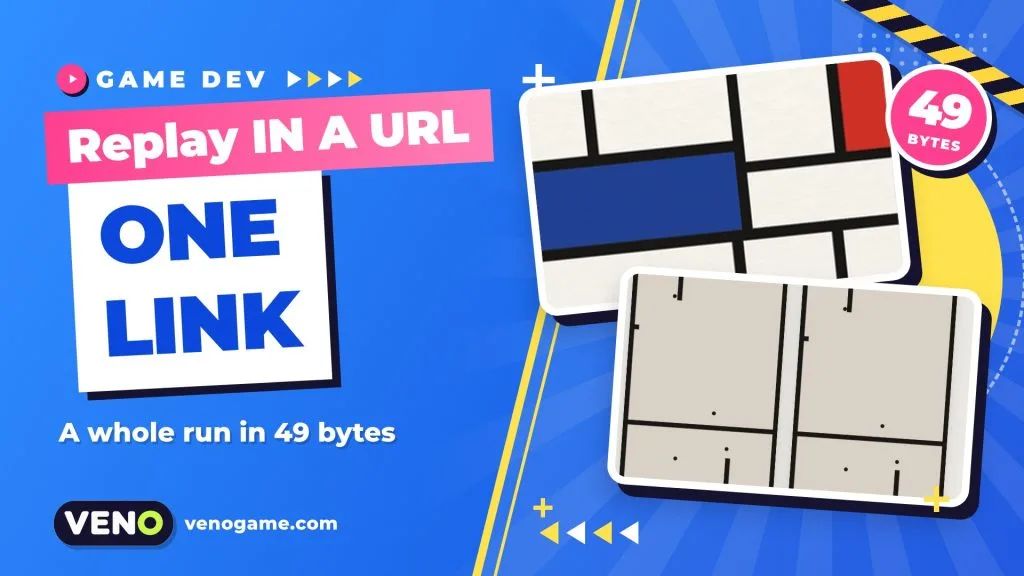
A game replay URL is a link that contains the player’s inputs instead of a video. Whoever opens it gets the same level, the game re-runs those inputs tick by tick, and the run plays back exactly as it happened. The free daily puzzle Composition does this with a whole solved board in 49 bytes of moves, and the ideas behind it work for almost any small browser game.
This guide explains how the trick works, using Composition’s published engine notes and a real shared link, then turns it into a checklist you can use in your own HTML5 game. If you just want to play, skip to the player tips near the end.
| Quick facts | |
|---|---|
| Game | Composition, a daily puzzle by Babs Technologies |
| How it plays | Draw lines to trap bouncing dots; closed rooms fill with paint |
| Where | Free in the browser at playcomposition.com, no account; iPhone app |
| Board | A new board every day, the same for everyone in the world |
| Simulation | Whole numbers only, 120 ticks per second |
| One move | 7 bytes: 4 for the tick, 1 column, 1 row, 1 direction |
| Link format | Moves in base64url, plus board number, version and final tick |
What is Composition?
Composition is a daily puzzle in the style of the old Windows game JezzBall. Dots bounce around a canvas. You swipe to draw a line across it; the line grows across the canvas, and a dot that catches it before it is finished costs you one of your spare lines. Every room you close off fills with colour. Keep going and the finished board looks like a Mondrian painting of black lines and red, yellow and blue blocks.
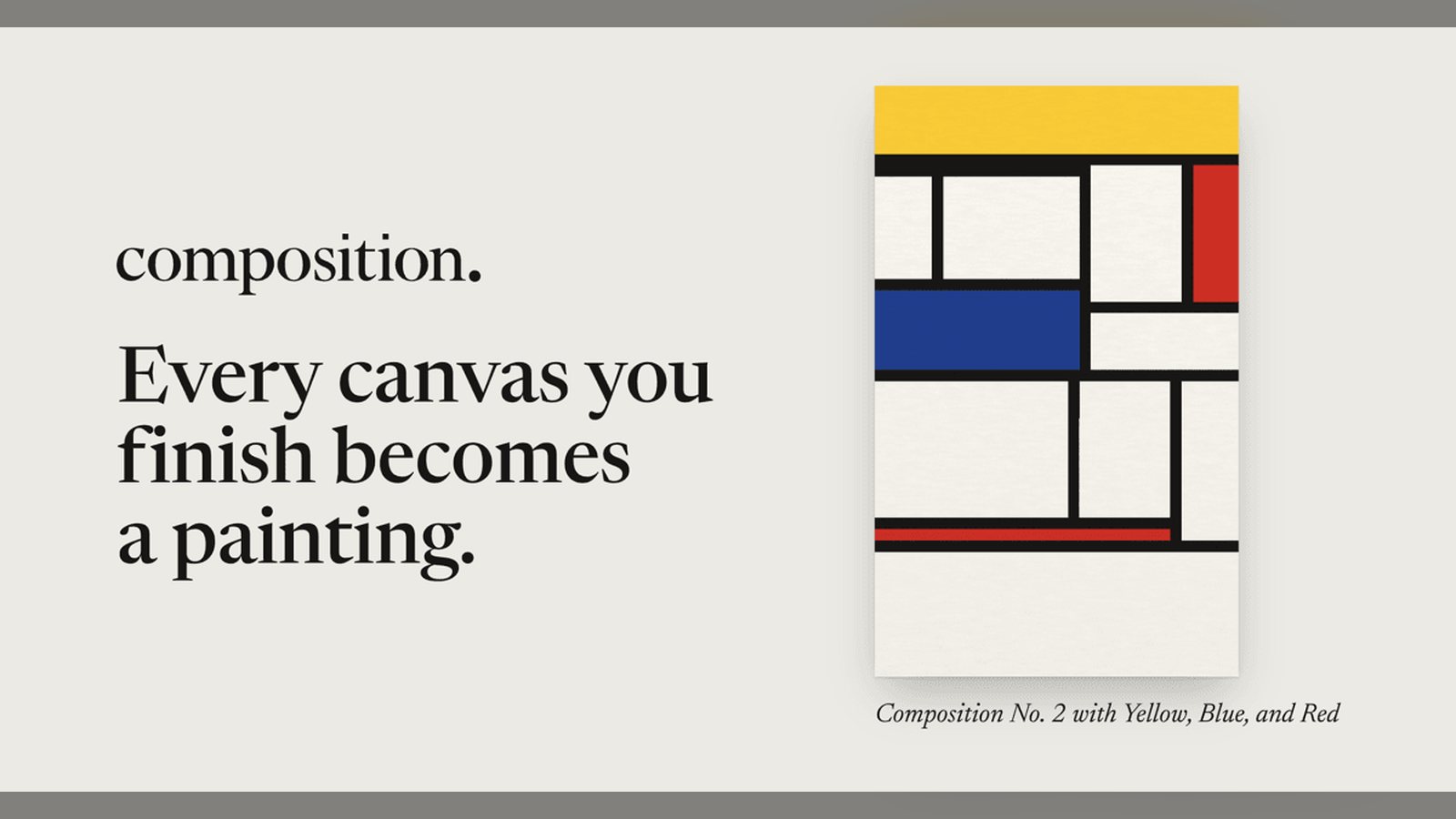
Everyone in the world gets the same board on the same day. That shared board is what makes replays fun: when a friend sends you their run, you can watch exactly how they painted the canvas you just struggled with, then race it. The site says a time only counts if you played without stopping, and every time is checked by replaying it.

How a game replay URL works
Recording a video of a run would take megabytes. Composition records only what the player decided. Because the engine is deterministic, the same starting board plus the same inputs always gives the same ending. So the link only has to carry:
- Which board — the board number in the address (for example
/board/31). The rules, the dot speeds and the random seed come from that number, never from the link, so nobody can edit a link to make the dots slower. - The moves — every stroke as a 7-byte record, packed into URL-safe base64.
- A version and the final tick — so an old link is read with the right rules and the page knows where the run should end.
When someone opens the link, the page builds that day’s board and steps the simulation forward, applying each stroke on its tick. A link that holds something the game would never write, such as strokes out of order or one a tick late, is turned down.
Reading the 7 bytes of one move
Here is the first stroke from a real shared run of board 31, in hexadecimal:
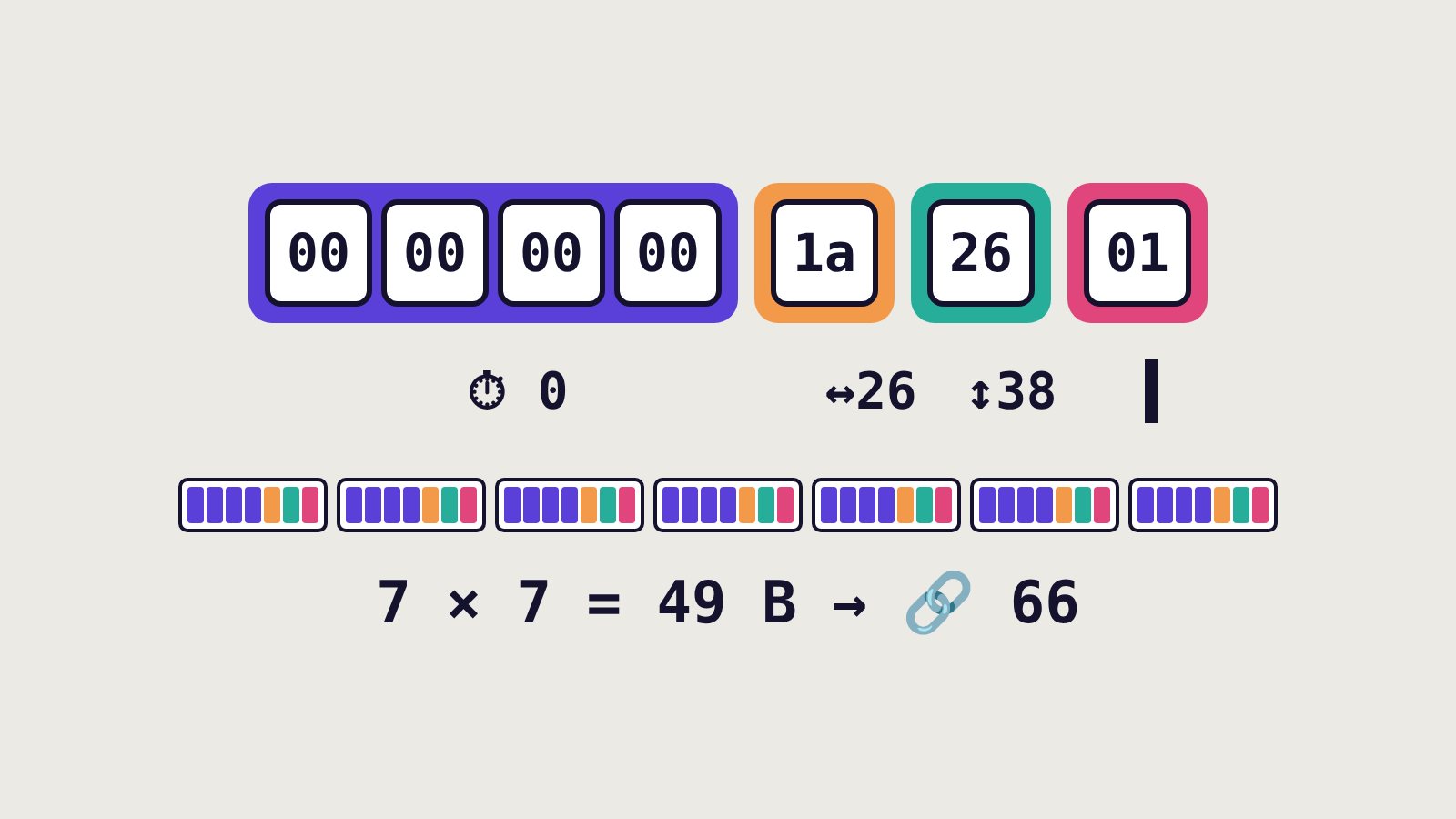
| Bytes | Value | Meaning |
|---|---|---|
00 00 00 00 |
0 | Tick number, least significant byte first |
1a |
26 | Column on the grid |
26 |
38 | Row on the grid |
01 |
1 | Direction: 1 = down (vertical), 0 = across |
The second stroke starts with 29 01, which reads as 0x0129 = tick 297, and draws a horizontal line at column 3, row 39. Seven strokes of 7 bytes make 49 bytes, which become 66 characters of base64url. The link also says the run ended on tick 1,047; at 120 ticks a second that is about 8.73 seconds, the time shown in the link.
In JavaScript, packing a move list takes only a few lines:
let bin = '';
for (const m of moves)
  bin += String.fromCharCode(m.tick & 255, m.tick >>> 8 & 255,
    m.tick >>> 16 & 255, m.tick >>> 24 & 255, m.x, m.y, m.vertical ? 1 : 0);
const run = btoa(bin).replace(/\+/g, '-').replace(/\//g, '_').replace(/=+$/, '');
Composition also sets limits before replaying anything: at most 1,024 strokes, 216,000 ticks and 16,384 bytes. Runs whose text would pass 2,000 characters are kept out of shared links, because some chat apps cut long links.
Same clock on every screen
A replay only works if every device runs the exact same game. Composition’s notes describe three rules that make that true.
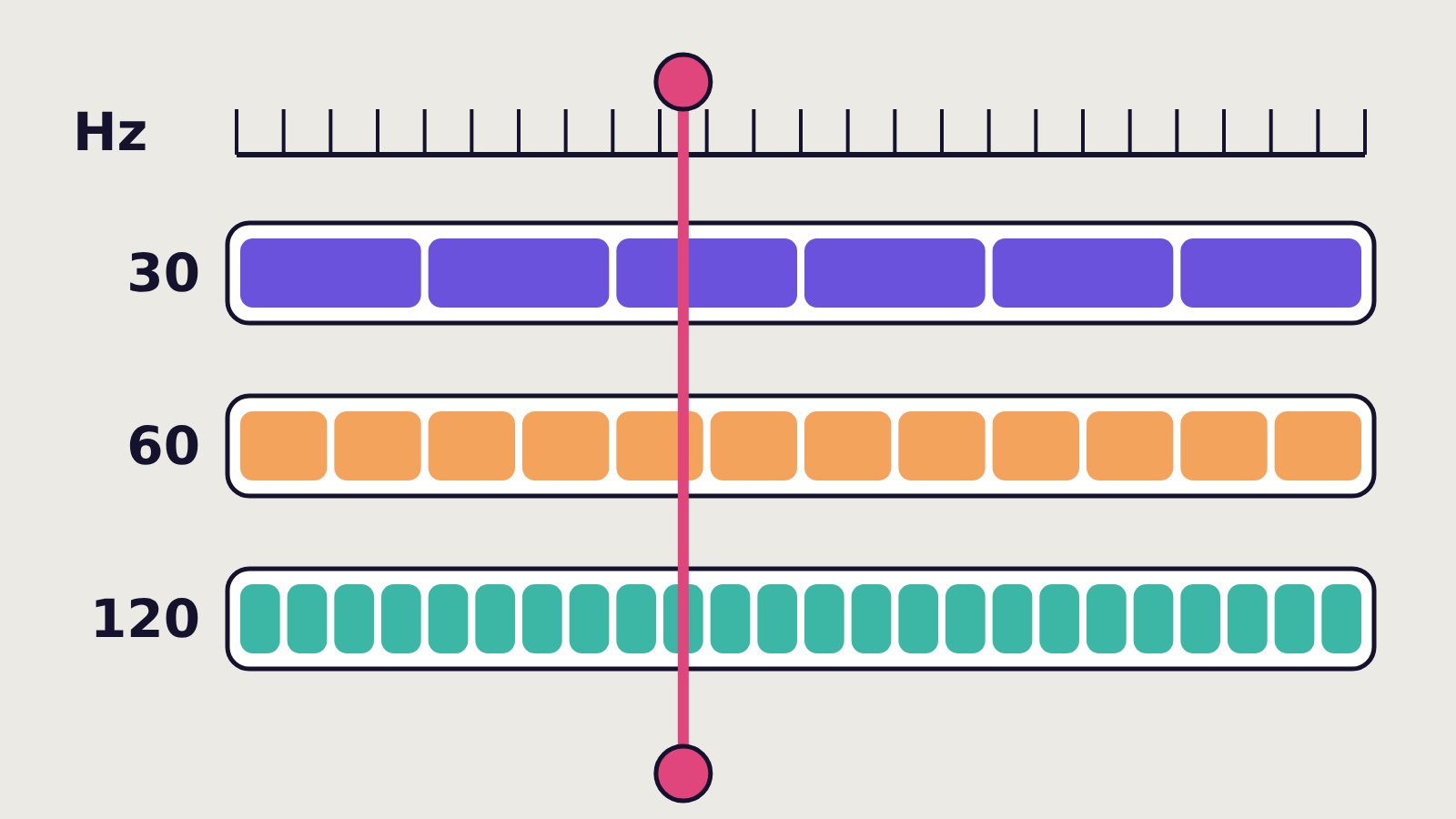
Fixed ticks, not frames. The simulation advances 120 times a second no matter how fast the screen refreshes. The page keeps the leftover time between frames, runs as many whole ticks as have passed, then draws the dots part of the way to the next tick. A 30 Hz screen runs about four ticks per picture; a 120 Hz screen runs one. A stroke on tick 297 lands on tick 297 either way.
Whole numbers only. There is no floating point in the simulation. A grid cell is 1,024 units wide, so positions and speeds are integers. Division uses Math.trunc so JavaScript truncates toward zero the same way Swift does (Math.floor would round negative numbers the other way).
Randomness that travels. Each day’s seed comes from the date, and the dots are placed with SplitMix64, the same generator the iPhone version uses. JavaScript runs it on BigInt for 64-bit maths. The same generator also picks the colour of every room you close, so both versions must draw the same numbers in the same order for the whole game.
One more detail matters for players: if you switch tabs, the board does not race through ticks nobody saw. It covers itself and holds still until you come back.
How the developers test it
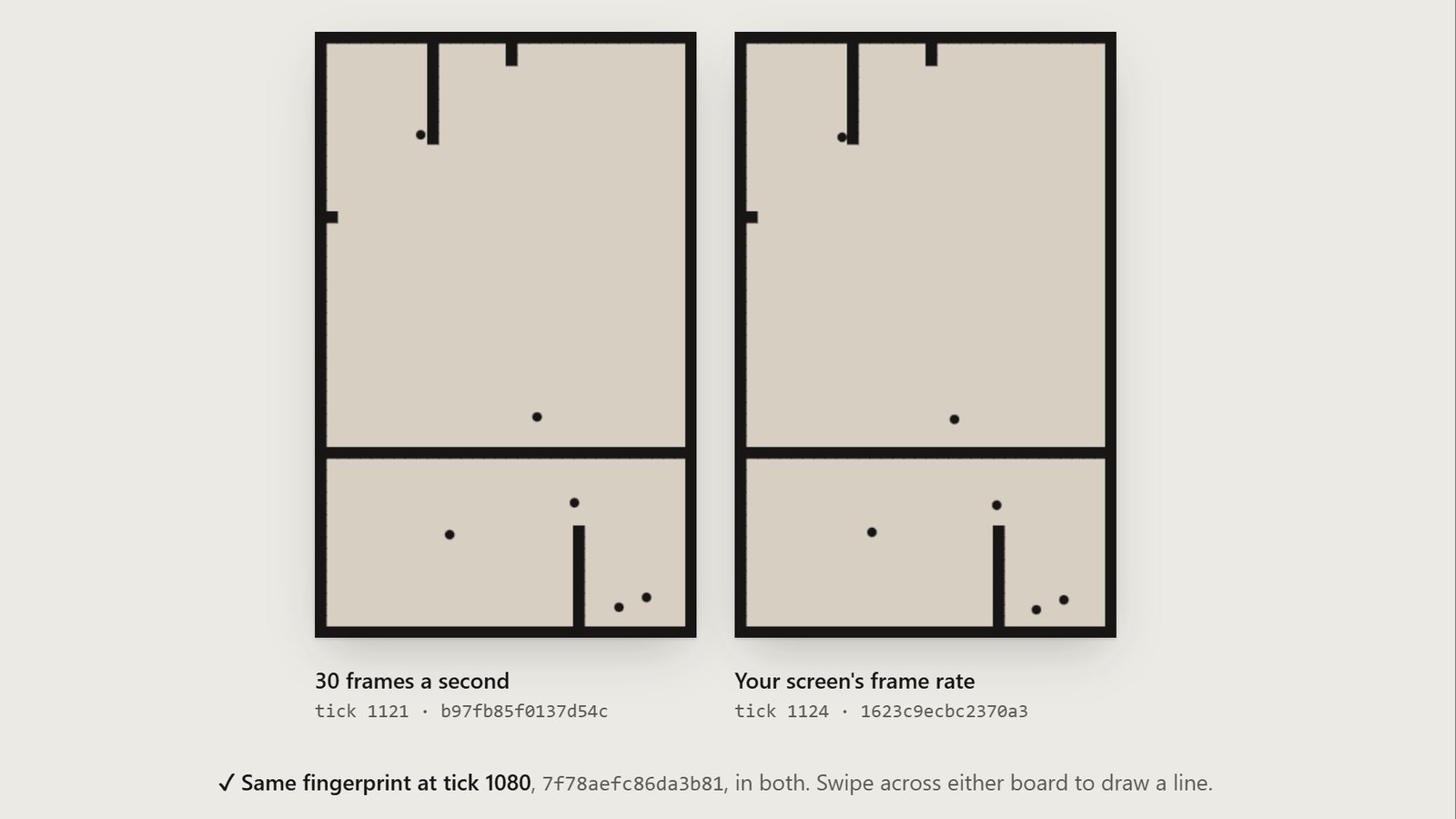
Composition runs one engine in the browser (engine.js, 485 lines, ported line for line from the Swift engine in the app) and one on iPhone. A script compiles the Swift version, replays the same games through both engines and compares their output line by line. Each game ends with a 64-bit FNV-1a fingerprint of everything that decides what happens next: every dot’s position and velocity, growing lines, lives left, the clock and the generator’s own state.
According to the developers, the check covers 92 games, 366 daily boards and 563 recorded solutions, 1,033 lines that must match exactly. If one character differs, nothing ships. A separate test replays the same run at 30, 60 and 120 Hz and checks that it reaches the same state.
Add replay links to your own browser game
You do not need a second platform to use these ideas. A checklist for a puzzle or a short arcade level:
- Start small. Pick one puzzle or one short level with a clear start state.
- Fix the clock. Run game logic on a fixed tick (for example 60 or 120 per second), separate from
requestAnimationFrame. - Seed everything. Use one seeded generator for every random choice that affects play, and never call
Math.random()in game logic. - Prefer integers. Store positions in fixed-point whole numbers if the run must match across browsers.
- Record decisions, not state. Log accepted inputs with their tick, in a compact binary record.
- Version the format. Put a version number in the link. A changed ball speed can turn an old solution into an impossible one, so keep a few test replays and re-run them whenever you edit rules.
- Keep visuals out of the logic. Camera easing, particles and screen shake can use their own timing as long as they never change the outcome.
- Validate before replaying. Check length, order and coordinates, rebuild the level from your own data and compute the final score from the replay itself instead of trusting a number in the URL.
- Watch the length. Keep links short enough to paste into chat apps.
| Approach | Size | Proves the score? | Works offline? |
|---|---|---|---|
| Screen recording / GIF | Large (MB) | No | Yes |
| Score in the link | Tiny | No, easy to edit | Yes |
| Server-stored replay | Small link, server cost | Yes | No |
| Inputs in the URL (deterministic) | Tiny | Yes, by re-running | Yes |
Tips for players
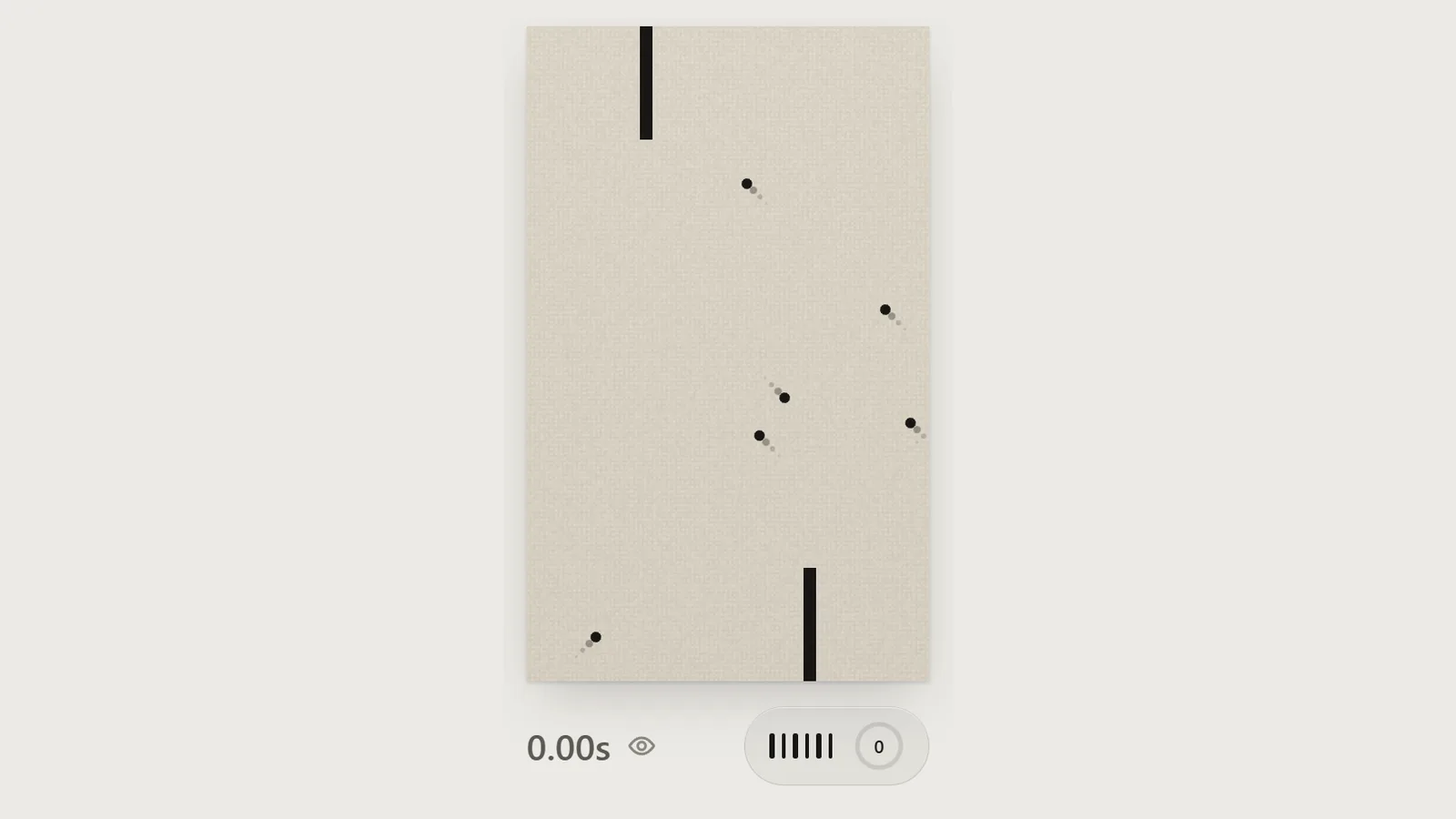
- Read the goal first: the board shows how much of the canvas you need to paint (for example 75%).
- Watch the dots for a moment before your first swipe; long, open lines are the riskiest.
- Short lines near a wall finish faster and are safer when dots are close.
- Think in rooms: each line you finish closes off space, and every closed room fills with paint.
- If a hint is offered, try it: for board 31 the game suggests starting with a horizontal line in the middle.
- Share your finished run as a link and challenge a friend to race it on the same board.
FAQ
What is a game replay URL?
A link that stores the player’s inputs and the level ID. Opening it re-runs the game with those inputs, so the run plays back exactly instead of showing a recorded video.
Why does a replay need a deterministic engine?
If the game uses frame time, floating point or unseeded randomness, a tiny difference makes the replay drift and end somewhere the player never was. Fixed ticks, integers and a seeded generator keep every device in step.
How small can a replay link be?
In Composition each stroke is 7 bytes; a seven-stroke solution is 49 bytes, or 66 characters of base64url.
Can players cheat by editing the link?
They can edit it, but the rules come from the board number, not the link, and the page re-runs the moves to get the real result. Invalid moves are rejected.
Is Composition free?
Yes, today’s board is free to play in the browser at playcomposition.com with no account, and there is an iPhone app.
Want to see it for yourself? Open today’s Composition board or read the developers’ own notes on keeping the JavaScript and Swift engines in lockstep.