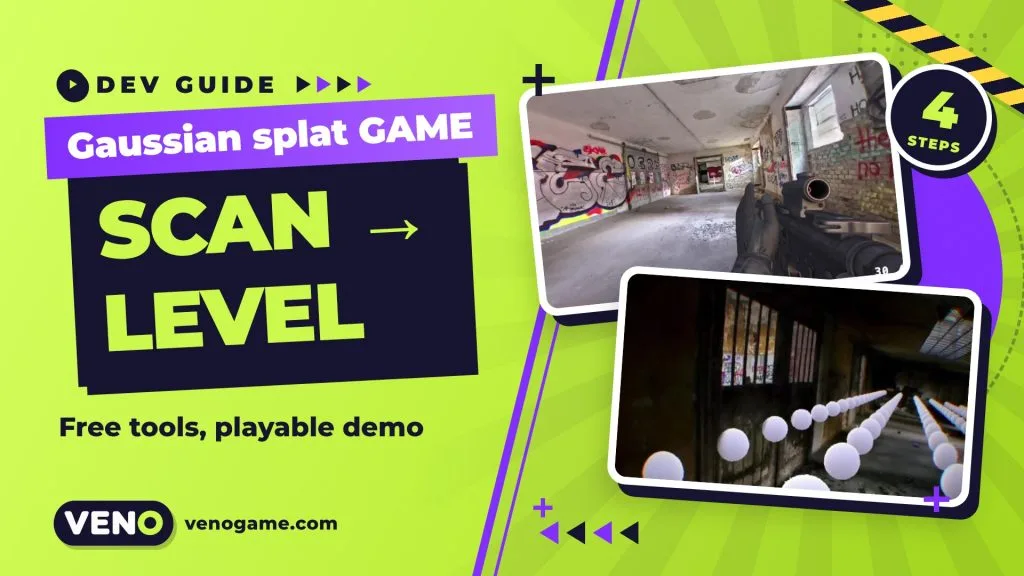
A Gaussian splat can make a real place look photorealistic in a browser tab, but on its own it is only a picture you can fly through: no floor to stand on, no walls to hit, no paths for enemies. To build a Gaussian splat game, you add the missing systems on top — a collision mesh, lighting data for your normal 3D models, a navigation mesh, and streaming so the scene loads on phones.
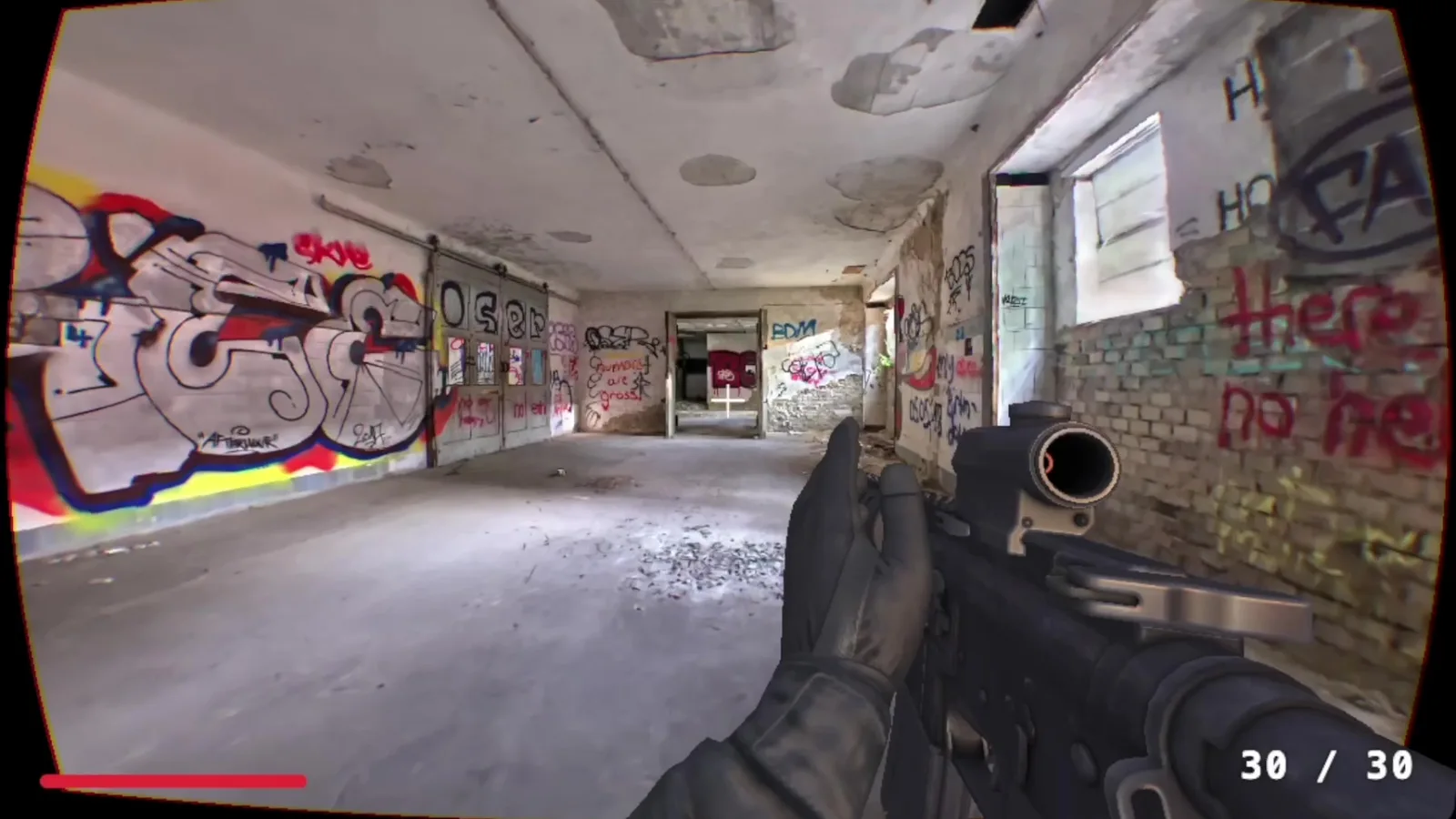
PlayCanvas engineer Iakov Sumygin showed the whole recipe in an open project: a first-person shooter set inside a scan of a real abandoned building, running in the browser. This guide walks through how it works and what you can reuse for your own web game.
| Quick facts | |
|---|---|
| What | A playable FPS demo built on a Gaussian splat scan |
| Who | Iakov Sumygin, PlayCanvas; scan by Christoph Schindelar |
| Published | April 22, 2026, on the official PlayCanvas blog |
| Runs on | Any modern browser (WASD to move, mouse to aim, left-click to fire) |
| Price | Free to play; the full PlayCanvas project is public |
| Key tools | splat-transform (MIT), SuperSplat, recast-navigation, PlayCanvas Engine |
What is a Gaussian splat?
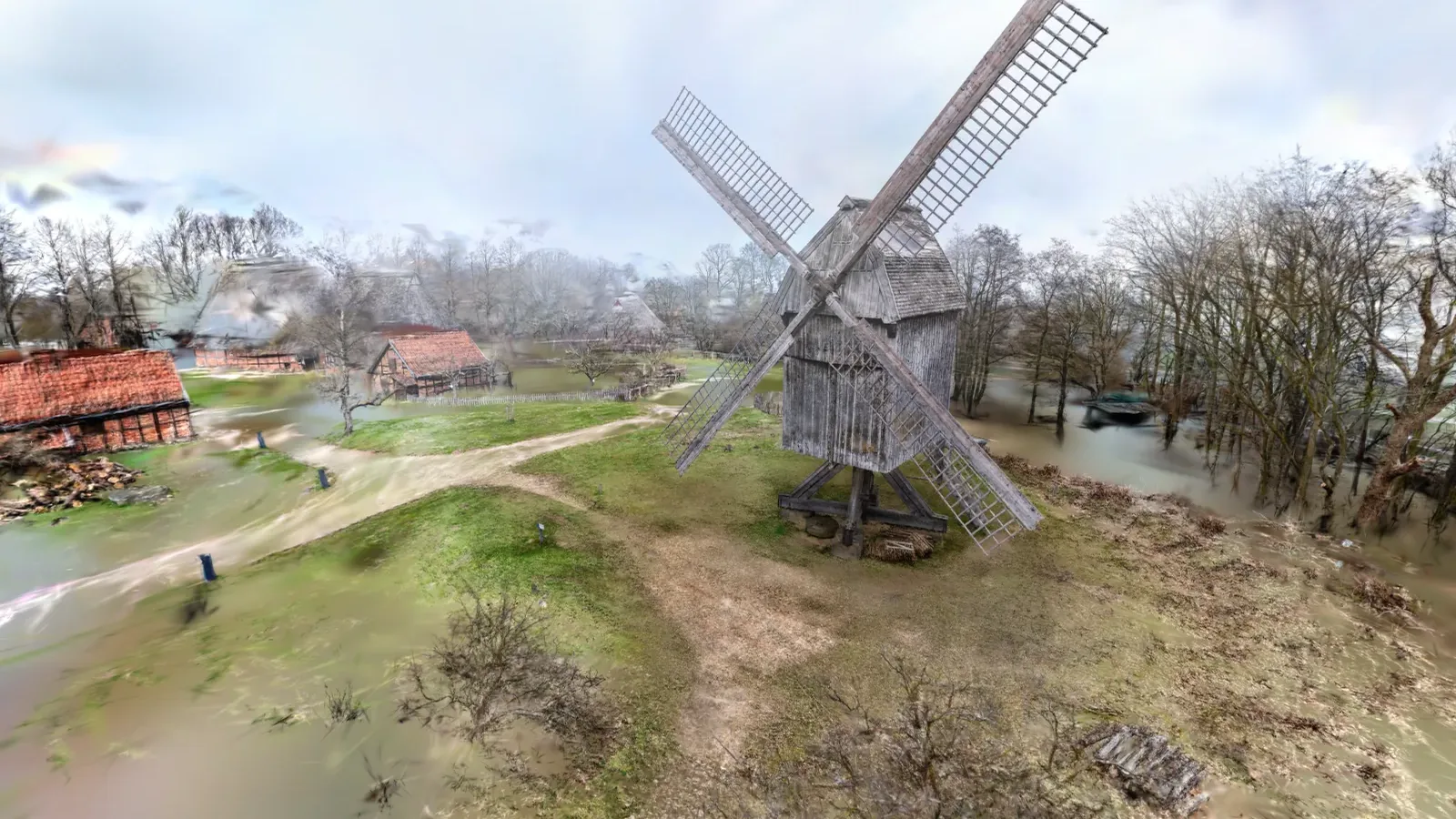
A Gaussian splat stores a scene as millions of small, soft, coloured blobs (“Gaussians”) instead of triangles. The technique became popular after the 2023 research paper 3D Gaussian Splatting for Real-Time Radiance Field Rendering by Kerbl and colleagues, presented at SIGGRAPH 2023. You capture a real place with photos or video, train a splat, and get a scene that looks like a photograph from any angle.
That is great for looks and bad for gameplay. In the words of the PlayCanvas walkthrough, a splat is “a cloud of oriented blobs — no triangles, no colliders, no navmesh, no lights.” Drop a character in and it floats through walls. Every game system has to be added separately.
The full stack in one table
Here is everything the demo uses. Every piece is free and open source.
| Job | Tool or method | What it produces |
|---|---|---|
| Environment | A downloadable splat from SuperSplat (Creative Commons) or your own capture | .ply or .sog file |
| Streaming | splat-transform → Streamed SOG | SOG chunks + lod-meta.json |
| Collision | splat-transform --collision-mesh |
.collision.glb + voxel data |
| Lighting for meshes | A baked “lightness” probe grid | lightness.json (about 40 KB) |
| Pathfinding | recast-navigation | navmesh.bin |
| Enemy AI | Behavior trees with personality traits | Eight NPCs that act differently |
| Coding | PlayCanvas VS Code extension | Save-and-reload workflow |
The finished build is 68 MB, with the splat environment streamed separately from cloud storage, and it cold-loads in a few seconds according to the author.
Step 1: Give the scene a floor and walls (collision)
Physics engines cannot see blobs. The fix is splat-transform, PlayCanvas’s open-source command-line tool (npm install -g @playcanvas/splat-transform). When you point its output at a .voxel.json file and add --collision-mesh, it turns the splat into a grid of small cubes (voxels) and builds a mesh from them.
The Collision Mesh Generation guide describes the pipeline in this order:
- Filter clusters — keep only the connected part of the scan around a seed position and drop stray floaters.
- Voxelize — mark voxels as solid where splats are opaque enough (default voxel size 0.05 world units).
- Seal the shell —
--voxel-external-fillfor rooms,--voxel-floor-fillfor outdoor scenes. - Carve — flood a capsule from the seed position to find where a player can actually go (default height 1.6, radius 0.2).
- Build the mesh — a smooth marching-cubes mesh by default, or
facesfor a watertight blocky mesh that matches the voxels exactly.
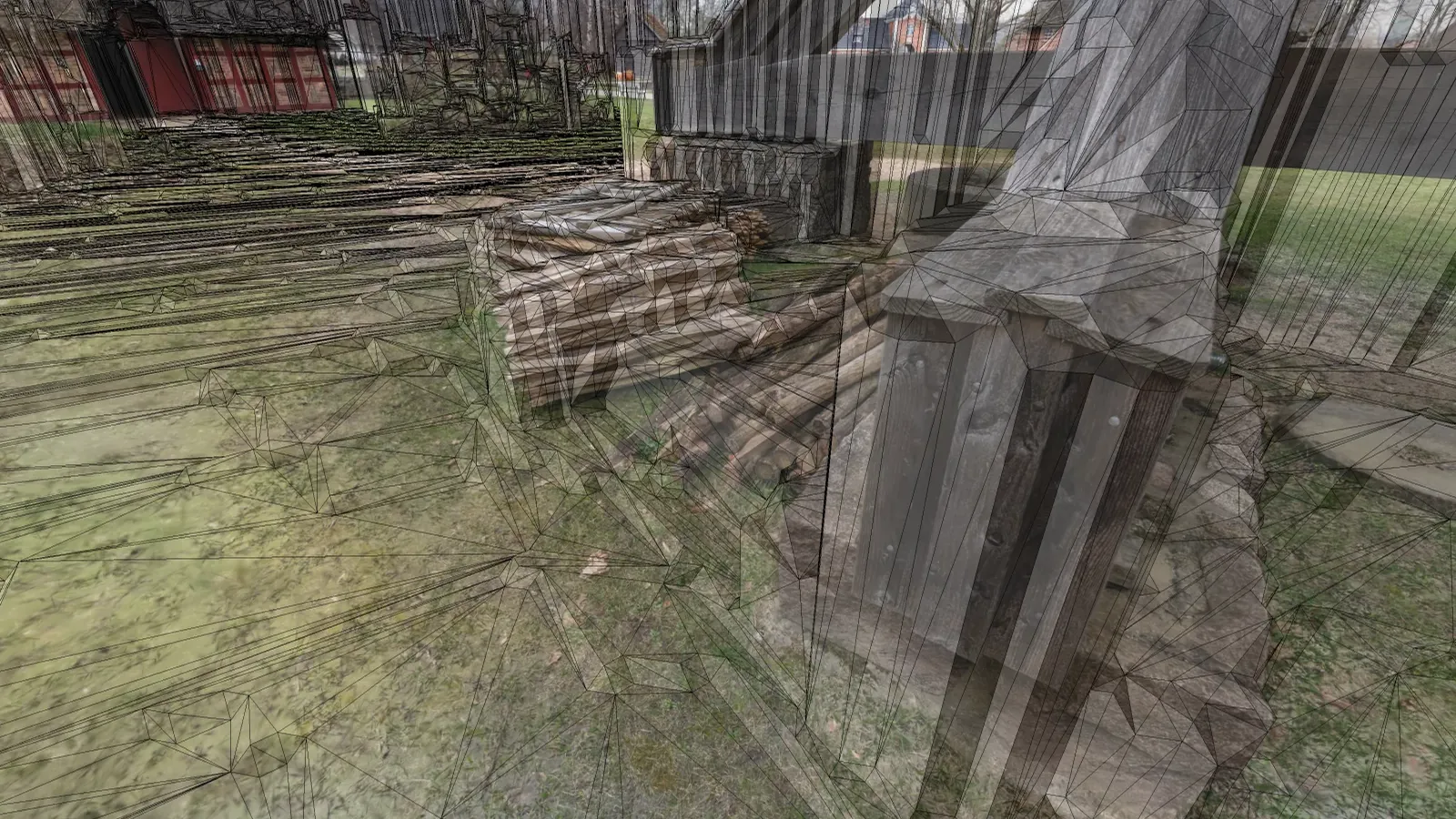
You get three files: .voxel.json and .voxel.bin (a sparse voxel tree, handy for raycasts) and .collision.glb. In the demo, the GLB sits on an invisible entity with a mesh Collision component and a static Rigid Body. Suddenly the player has a floor, bullets hit walls and NPCs have something to walk on — with no hand modelling.
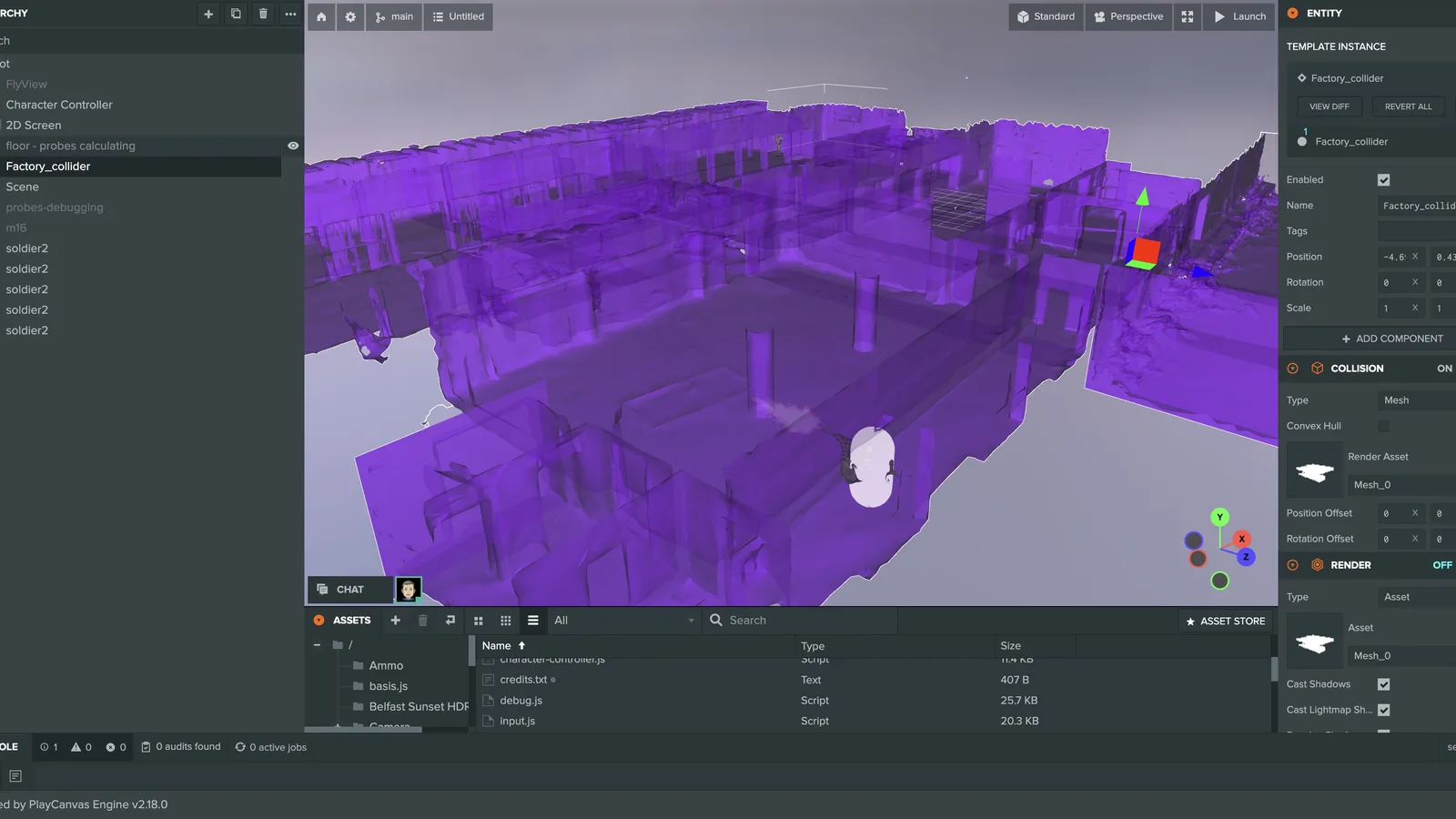
Tip: test a short route first — a doorway, a corner, a step in floor height — with the debug view on. It is much easier to fix an invisible edge when you can see what the physics engine thinks is there.
Step 2: Make normal 3D models match the scan’s light
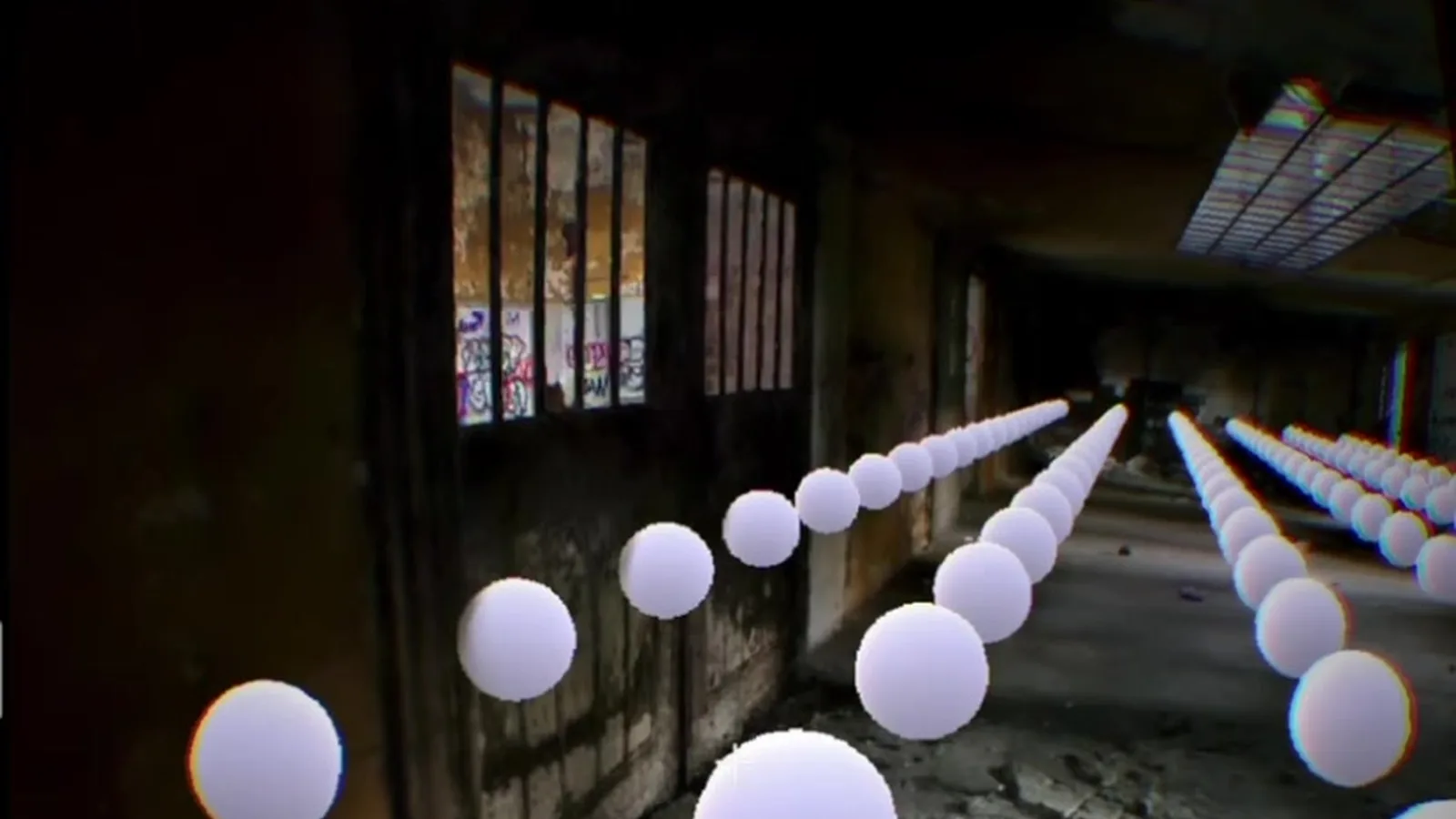
A splat has its lighting baked in. Your weapon, enemies and pickups are ordinary lit 3D models, so without help they look like cardboard cut-outs. Instead of relighting the splat, the demo asks a cheap question at runtime: how bright is it here?
The bake works like this:
- Place probe points on a 1-metre grid, 1 metre above the floor.
- At each probe, render the splat six times (one per cube face) into a tiny 16×16 image.
- Average the brightness using the standard Rec. 601 weights.
- Save all values as
lightness.json.
The demo bakes 392 probes (28 × 14) in about 15 seconds, once, and the result is about 40 KB. At runtime each model samples the grid at its position and adjusts its exposure, so your hands darken smoothly when you step from a bright hall into a dark corridor.
Step 3: Let enemies find their way (navmesh)
NPCs cannot path on blobs either. The demo feeds the same .collision.glb into an offline Recast-based generator to produce navmesh.bin, then loads recast-navigation in the browser. The collision mesh already says “this is solid floor”, so building the navmesh takes only a few seconds. In the demo you can press N to show walkable polygons, agent positions and current paths.
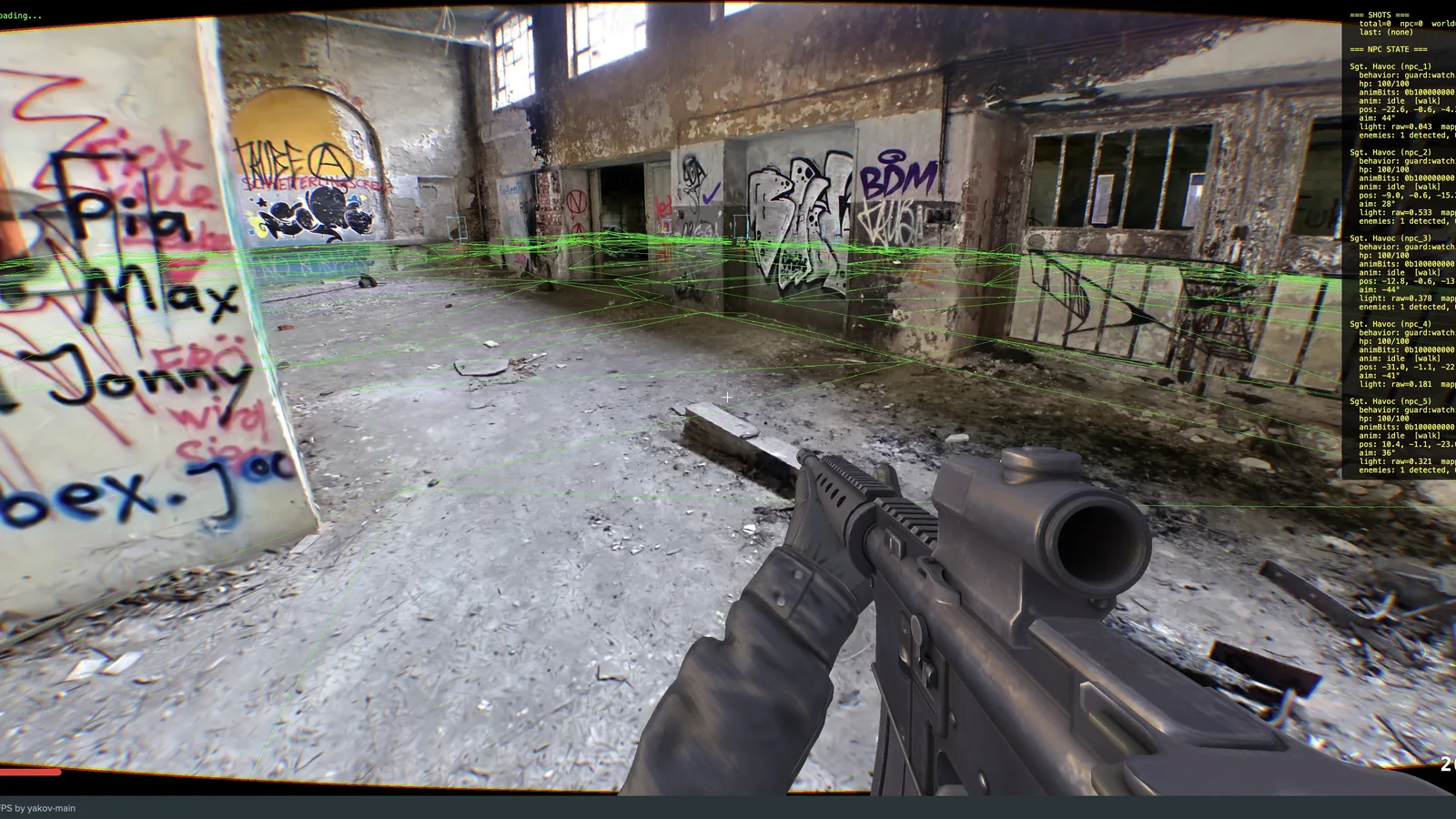
The enemies themselves use classic behavior trees built from four small functions — sequence, selector, condition and action — plus personality traits. Eight NPCs with names like Loot Goblin (runs across the map for pickups) and Chicken (retreats early) share one tree but behave very differently. The AI code only depends on a vector type, so it could move to Three.js, Babylon.js or a headless simulation.
Step 4: Stream the world so phones can play
A scene with a few million Gaussians is too heavy to ship as one file. splat-transform can write a Streamed SOG: a folder of chunks plus a lod-meta.json manifest, built from several levels of detail (LOD 0 is the sharpest). The Streamed SOG guide shows how to make lower levels from one source, for example by decimating to 50%, 25% and 10%.
At runtime the engine loads chunks based on the camera and the device: a strong desktop pulls full detail around the player, a phone pulls a lighter set. The demo keeps the chunks around the starting point loaded before the match begins, so there is no pop-in mid-fight.
Measure two things separately: the time from opening the page to being able to move, and what happens when the player walks into an area that has not loaded yet. Then test on the slowest device you want to support.
Is a Gaussian splat game right for your project?
| Good fit | Think twice |
|---|---|
| Exploration, walking sims, escape rooms in real places | Destructible or changing levels (the light is baked in) |
| Short browser demos, virtual tours with a game layer | Very low-end phones with tight memory |
| First-person shooters and hide-and-seek in one map | Stylised or cartoon art directions |
| Prototypes where modelling a full level is too slow | Large open worlds without streaming |
A good first prototype is small: one scanned room, one item to find, one obstacle and a clear exit. That gives collision, lighting and loading a real job while you learn what the scan adds to the game.
Gaussian splat games FAQ
What is a Gaussian splat in games?
It is a way to store a 3D scene as millions of soft coloured blobs captured from real photos. It looks photorealistic but has no triangles, so collision, lighting and navigation must be added.
Can Gaussian splats run in a web browser?
Yes. PlayCanvas renders splats in the browser, and its splat FPS demo runs in a normal browser tab with streamed levels of detail for weaker devices.
How do you add collision to a Gaussian splat?
Run splat-transform with a .voxel.json output and the --collision-mesh flag. It creates a .collision.glb you can use as a static mesh collider.
Is splat-transform free?
Yes. splat-transform is open source under the MIT licence and installs with npm. SuperSplat, recast-navigation and the PlayCanvas Engine are open source too.
Where can I find splats to practise with?
SuperSplat lists scenes tagged “Downloadable” that their authors published under Creative Commons. Check each scene’s licence before using it in a game.
To dig deeper, read the original PlayCanvas walkthrough, try the playable demo and open the public project.