PixiJS 3D is a new, free 3D engine from the PixiJS team that runs inside the same stage as your 2D sprites. It entered open beta on 12 November 2026, uses WebGPU first with a WebGL2 fallback, and is MIT licensed. If you can write a little JavaScript, you can put a lit, shadowed 3D scene in a browser page today, and if you just want to play, two free games built with it already run in your browser.
This guide explains the handful of ideas every 3D scene is made of, shows the minimum code to build your first one, and points you to the games and examples worth trying.
PixiJS 3D at a glance
| What it is | A 3D extension for PixiJS, published on npm as @pixi/3d |
| Made by | The PixiJS team |
| Status | Open beta since 12 November 2026; the API can still change before 1.0 |
| Price and licence | Free, MIT licence |
| Rendering | WebGPU first, the same code runs on WebGL2 |
| Requirement | pixi.js 8.23.0 or later |
| Learning material | 35 guides, over 100 live examples, 3 tutorials in a live editor |
| Games to try | Nightward and Mach 2 on the official Good Stuff site |
What PixiJS 3D adds to PixiJS
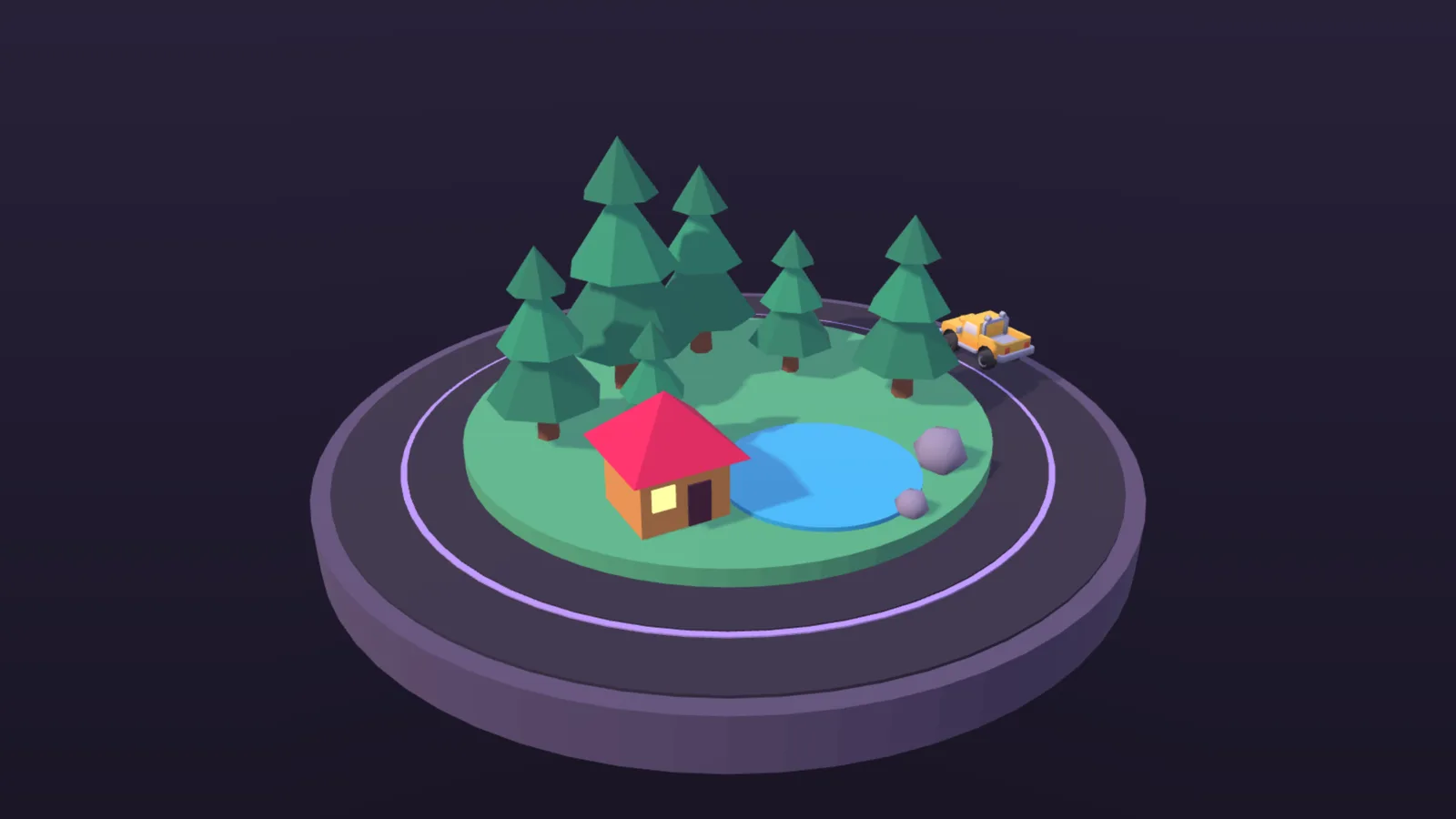
PixiJS has long been one of the most popular 2D renderers for web games. The new package does not replace it and is not a second engine running next to it. A 3D scene lives in a View3D, and a View3D is simply a display object, like a sprite. You add it to the stage, place it and size it, and your 2D can sit in front of it or behind it.
That design opens up a range of uses:
- A spinning 3D trophy or character inside an otherwise 2D menu or shop screen.
- A full-screen 3D game with the HUD, menus and touch buttons drawn in ordinary PixiJS 2D on top, with no separate HTML overlay to keep in sync.
- Several
View3Dwindows in one 2D scene, each with its own camera. - A 2D container drawn live onto a 3D surface, such as a screen inside a 3D monitor.
Filters and masks work on a 3D view, 3D objects receive the same pointer events as sprites, and glTF models load through the same Assets loader you use for images.
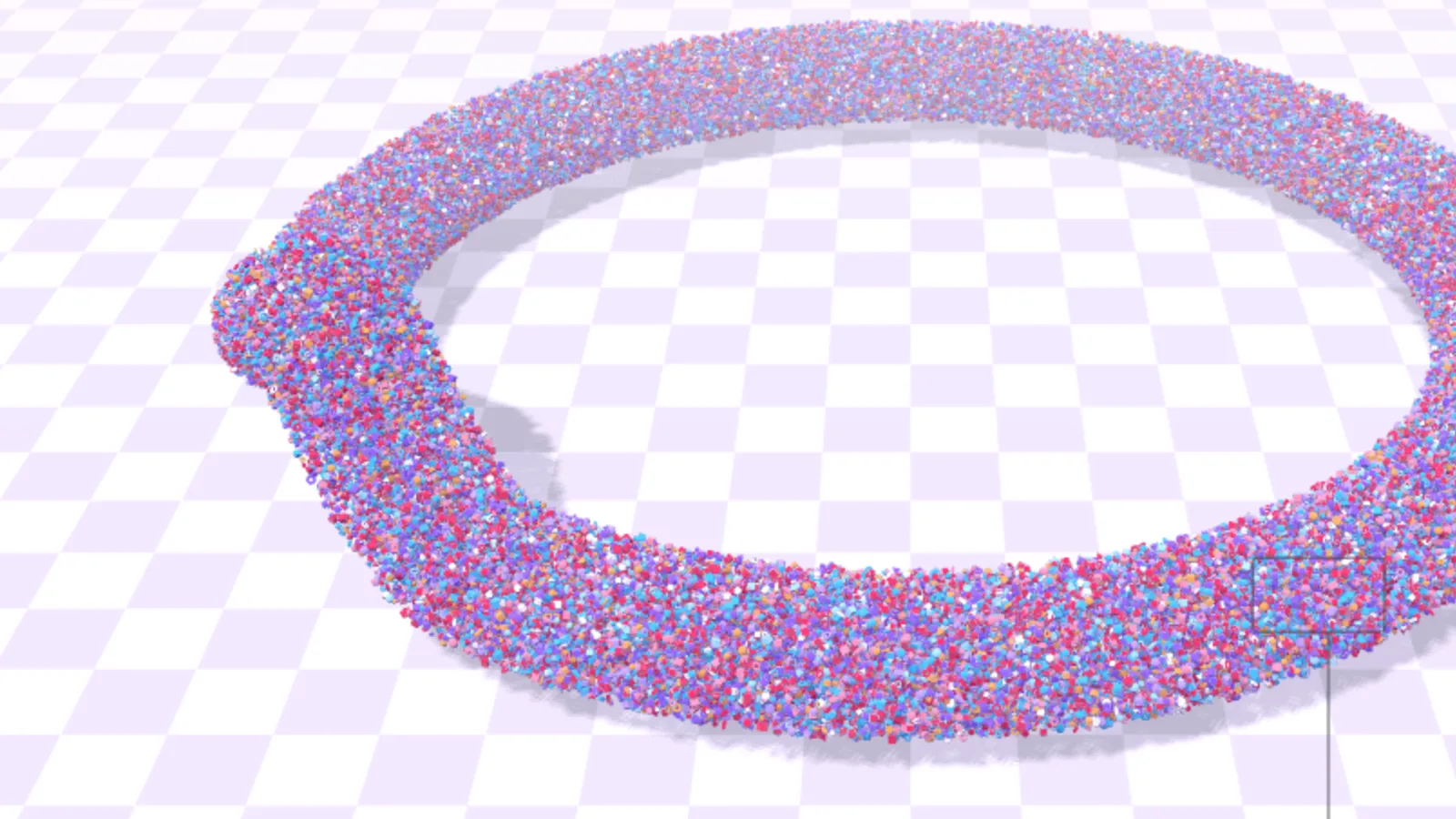
The team also says the engine is “fast by default”. Meshes that share one geometry and one material are drawn in a single instanced call without you asking for it. On most WebGPU browsers, culling runs in a compute shader; in Safari and on iPhone or iPad it runs on the CPU for typical scenes. Only meshes that changed are updated, so a still scene costs the CPU little. For forests or crowds, BatchedMesh3D draws huge numbers of copies, and the official demo shows 100,000 objects with shadows.
The 6 building blocks of a 3D scene
The official “3D 101” tutorial breaks 3D down into small ideas stacked on each other. Learn them in this order and the rest of the documentation becomes much easier to read.
- Space. A 2D position has x and y; 3D adds z. In PixiJS 3D, x points right, y points up and z points out of the screen towards you. Note that y points up, the opposite of PixiJS 2D.
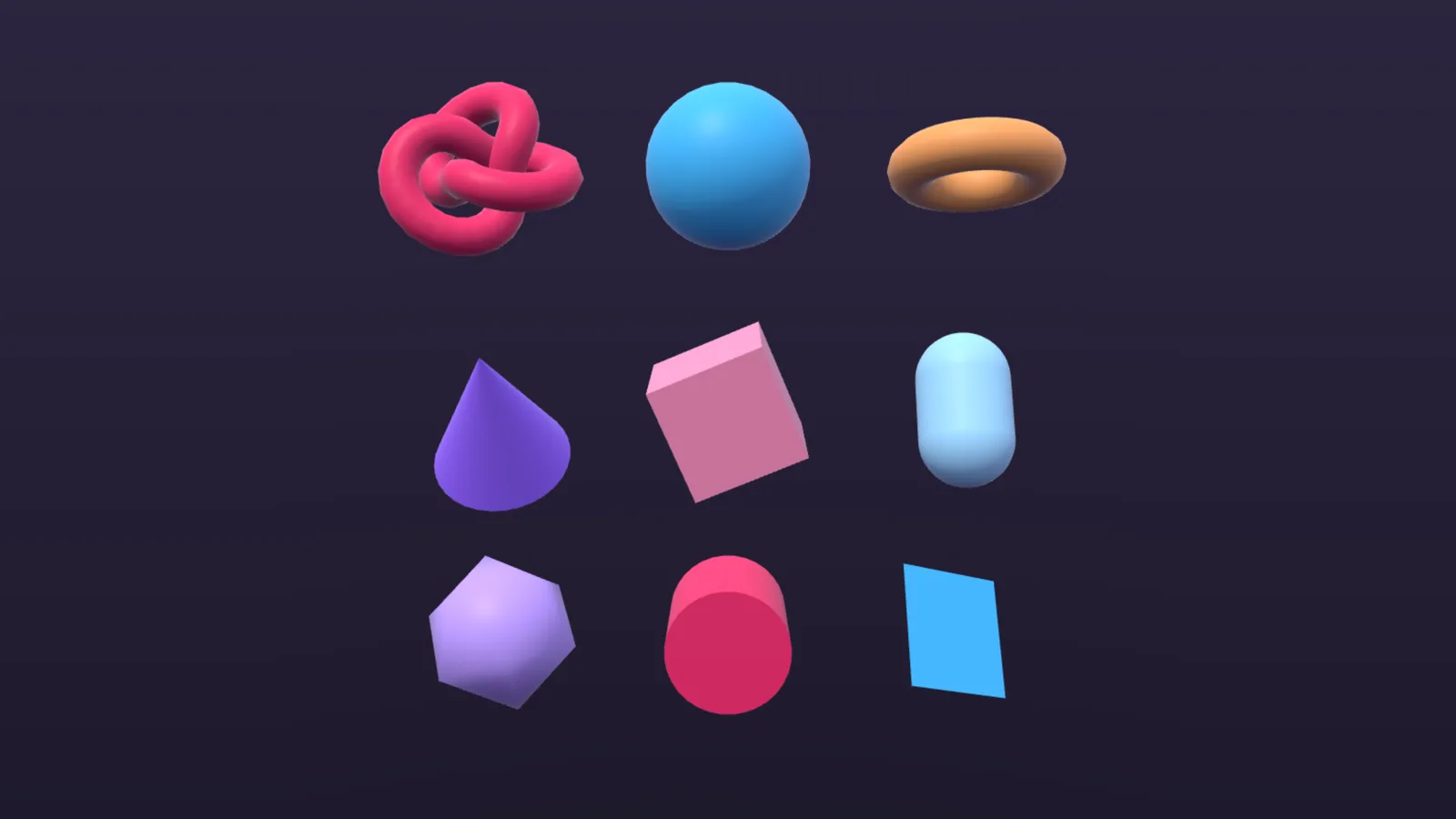
0, 0, 0is the origin, and one unit is meant to be one metre, so the numbers stay small. - Triangles. Every shape is made of triangles. A point is a vertex, three vertices make a triangle, a cube takes 12 triangles and a smooth ball about a thousand. The list of vertices and triangles is the geometry: shape only, no colour.
- Mesh = geometry + material. The material says what a thing is made of. Put the two together and you get a mesh, the object you add to the scene. PixiJS 3D builds nine common shapes for you, including a cube, a sphere, a cone and a torus.
- Transforms. Every object has a position, a rotation and a scale, each now with a z. Rotations are in radians (
Math.PIis half a turn), or useanglefor degrees. AContainer3Dgroups objects so that turning a parent turns its children, which is how you build a planet with a moon. - Camera. Each view has a camera that starts at the origin, so you move it back first. Its field of view (
fov) defaults to 60 degrees.OrbitCameralets the player drag to swing around a target. - Light and shadow. Without light, a
Material3Ddraws black. ADirectionalLightworks like the sun, aPointLightlike a bulb and aSpotLightlike a torch. SetcastShadowon a directional or spot light and meshes cast and catch shadows; point lights do not cast shadows.
Your first scene in a few lines
You only need two packages: npm install pixi.js @pixi/3d. Then create an app, ask for WebGPU (PixiJS falls back to WebGL2 where it is missing) and add a view:
import { View3D, Mesh3D, SphereGeometry, Material3D, DirectionalLight } from '@pixi/3d';
import { Application } from 'pixi.js';

const app = new Application();
await app.init({ preference: 'webgpu', resizeTo: window, antialias: true });
document.body.appendChild(app.canvas);

const view3d = new View3D({ autoResize: true });
app.stage.addChild(view3d);

const ball = new Mesh3D({
  geometry: new SphereGeometry({ radius: 0.5 }),
  material: new Material3D({ baseColor: 0xe91e63 }),
});
ball.position.y = 0.5;
view3d.root.addChild(ball);

view3d.camera.position.set(0, 2, 5);
view3d.camera.lookAt(ball.position);

const sun = new DirectionalLight({ color: 0xfff4e0, intensity: 3 });
sun.position.set(-3, 5, 2);
view3d.root.addChild(sun);
sun.lookAt({ x: 0, y: 0, z: 0 });
Everything in the 3D world goes under view3d.root, the way 2D objects go under app.stage. Two beginner traps are worth remembering: if you see nothing, the camera is probably still sitting inside your object at the origin, and if the object is black, you have not added a light yet. Adding view3d.environment with a sky colour and a ground colour fills in the sides the sun misses.
For shadows, set sun.castShadow = true and add a floor made from a PlaneGeometry, turned flat with rotation.x = -Math.PI / 2. The tutorial suggests turning castShadow off on the big floor so the sun’s limited shadow detail goes to the small objects, keeping their shadows sharp.
Materials and models: making things look real
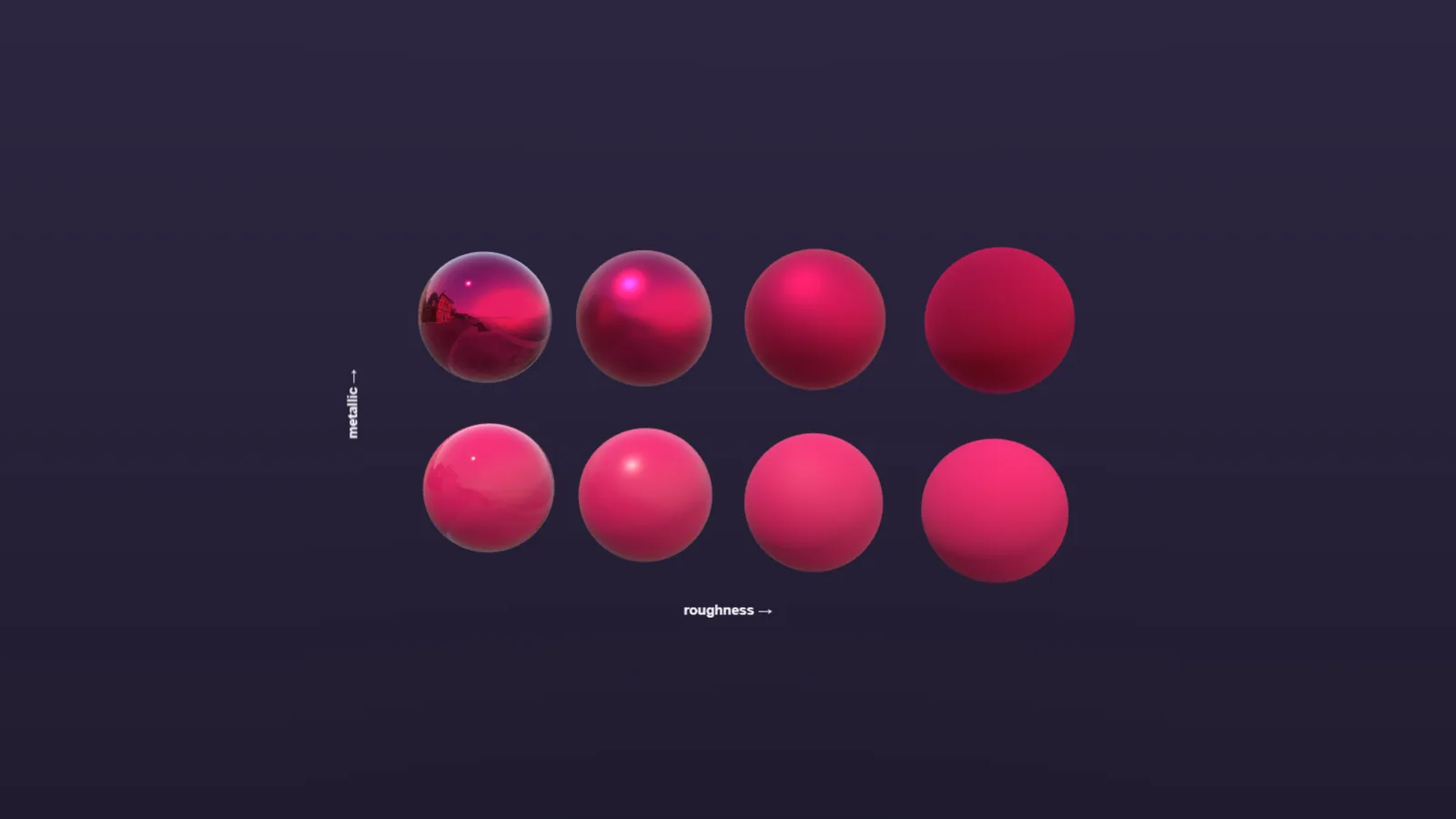
A Material3D with only a colour looks like chalk, because roughness starts at 1. Two numbers change everything:
| Setting | Value | Looks like |
|---|---|---|
roughness |
0 | Mirror-smooth, sharp highlights |
roughness |
1 (default) | Fully rough, like chalk or clay |
metallic |
0 | Non-metal: plastic, wood, stone |
metallic |
1 | Metal that tints its reflections with its colour |
So shiny pink plastic is a colour with roughness 0.3, chrome is white with metallic 1 and roughness 0.05, and gold is a gold colour with metallic 1. Metals mostly show what is around them, so they look best with an environment to reflect.
Nobody builds a character out of cubes. Artists export models from tools such as Blender as glTF (.gltf or .glb), an open format that can hold meshes, materials and animations. In PixiJS 3D you load the file with Assets.load, wrap it in a Model3D, and play an animation that came with it using autoPlay. Models keep the size they were made at, so measure and scale them before placing them. When a model is the whole scene, View3D.from(source) builds a view with a camera and a light already set up.
Beyond the basics, the engine includes skinning, morph targets, compressed textures, PBR, Phong, flat and toon materials, HDR, tone mapping, post-processing, particles and cascaded shadows.
Two free games made with PixiJS 3D
The PixiJS team built two games on the engine and put them on its Good Stuff site, where you can play them in the browser for free.
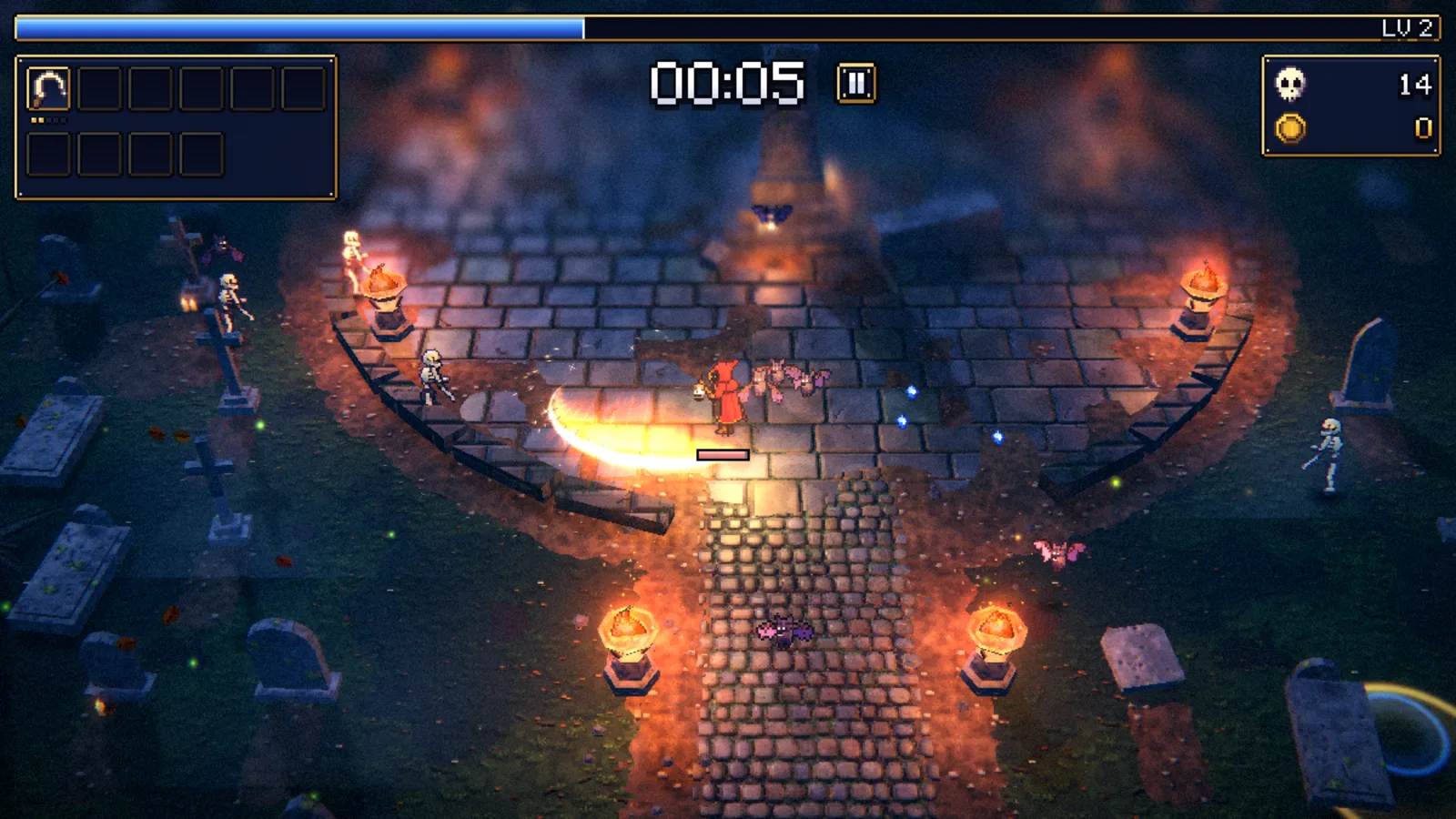
Nightward is a survival game set in a moonlit graveyard. You only move: six weapons fire on their own while the horde grows, until the Grave Reaper rises from the crypt. The pixel-art sprites stand in a 3D scene as lit billboards that cast shadows, with bloom, tilt-shift and fog on top. Remarkably, the game draws its art and makes its music in code, so it loads no image or audio files at all.
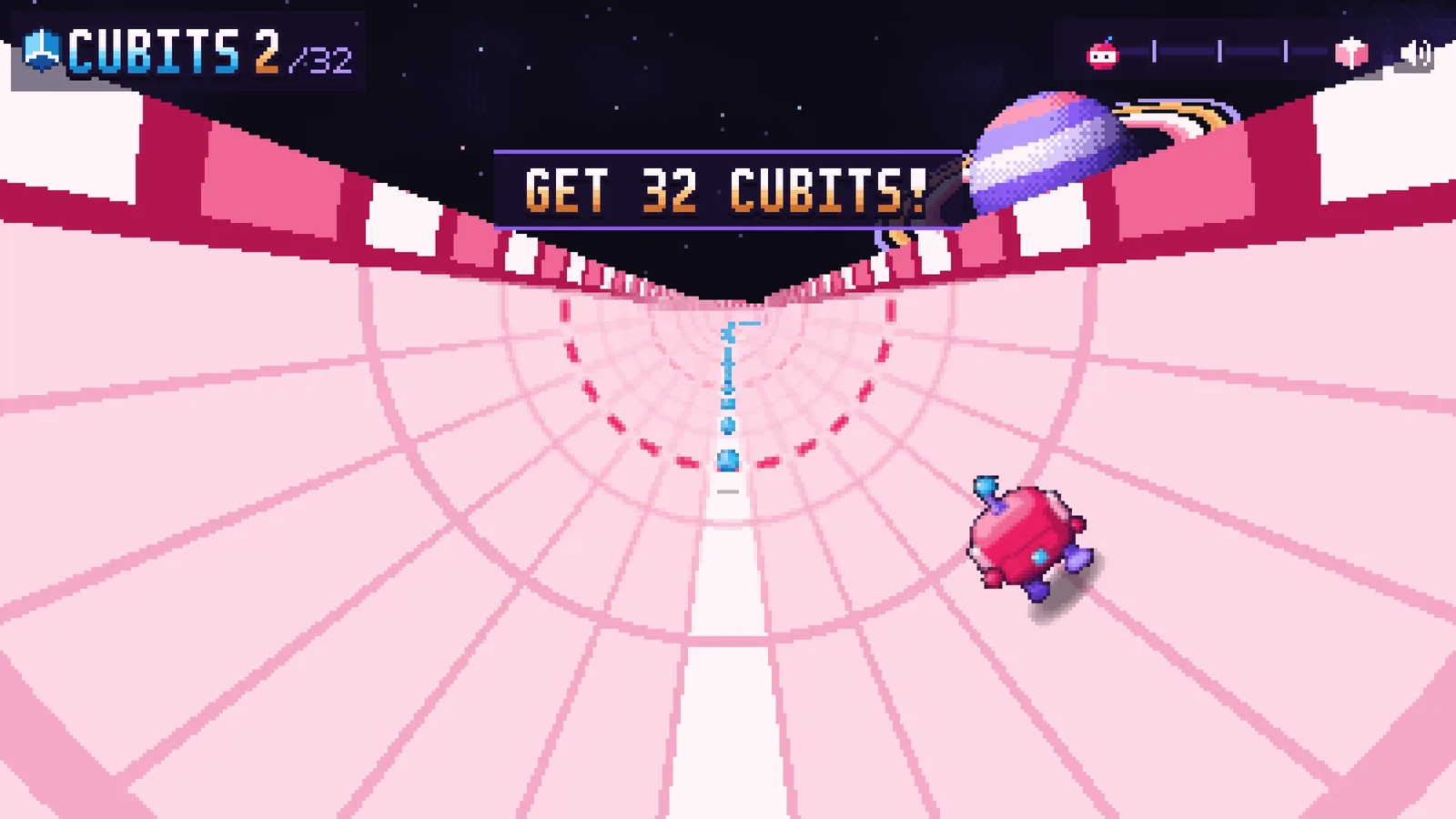
Mach 2 is a half-pipe runner. You steer around the pipe, jump and collect cubes through five zones, with a 2D HUD over the run. It plays on WebGPU or WebGL2, with a keyboard or on a phone.
Quick tips for players:
- In Nightward, keep moving in wide circles; standing still lets the horde close in while your weapons need room to work.
- In Mach 2, use the whole curve of the pipe to line up cubes before you jump.
- If a game stutters, close other heavy tabs and check that hardware acceleration is turned on in your browser settings.
Where to go next as a web game developer
- Start small. Follow the official quick start, then copy one example and change one number at a time. Every example in the gallery comes with its source.
- Try the tutorials. Three projects run in a live editor: floating shapes, a model showroom and a shooting gallery, which builds a small game step by step.
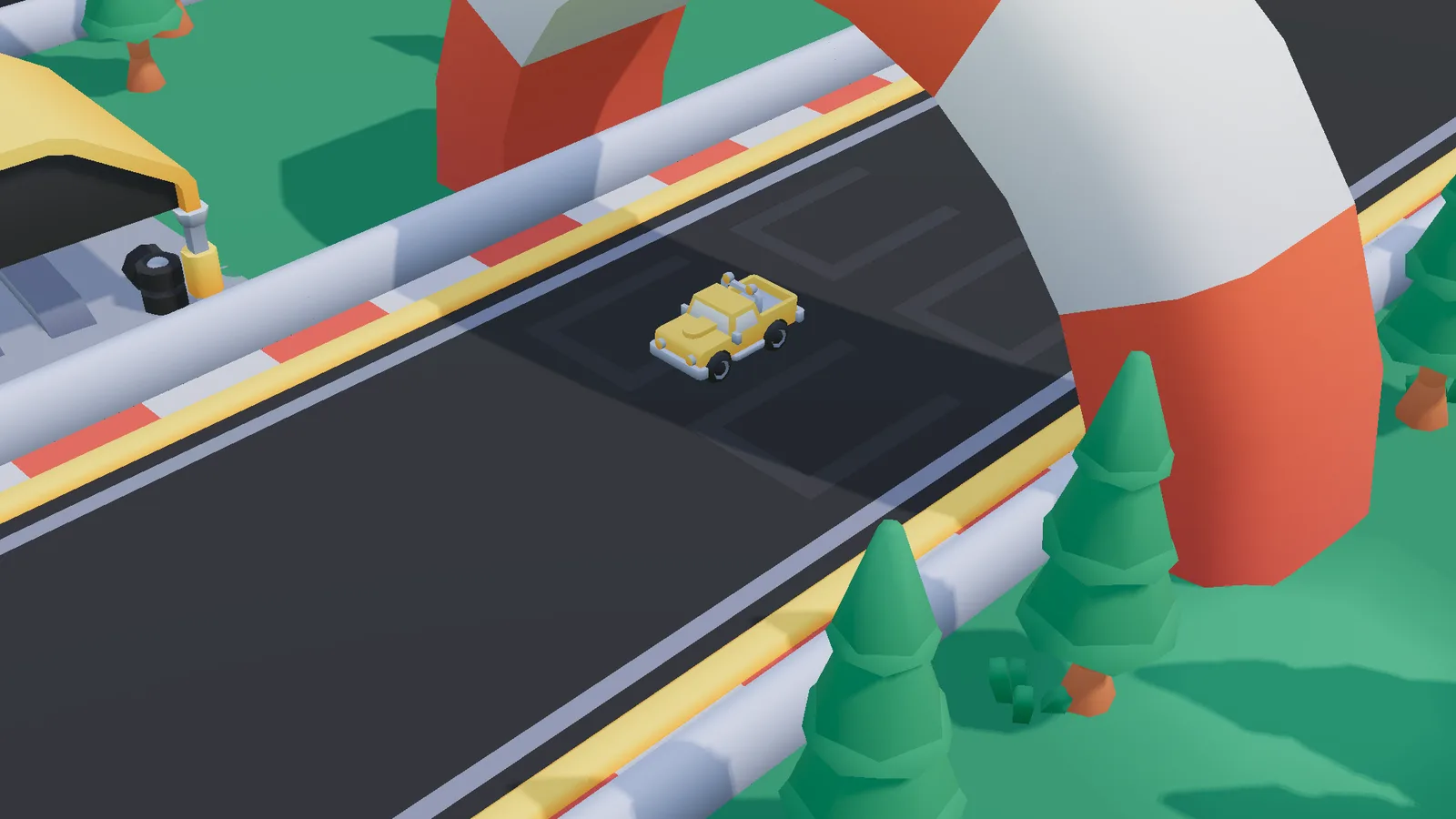
- Read a full game. The racing game in the examples shows how a complete project fits together.
- Use an AI coding agent wisely. The team publishes a
pixijs-3dskill for agents such as Claude Code, Cursor, Codex and Copilot, installed withnpx skills add https://github.com/pixijs/pixijs-skills. It lists mistakes that throw no error but draw the wrong picture. - Remember it is a beta. Closed-beta testers sent more than 30 bug reports and feature requests before launch, and the API may still change before 1.0. Pin your version and read release notes before upgrading.
Useful official links: the PixiJS 3D announcement, the 3D 101 tutorial, the examples gallery and the Good Stuff games.
FAQ
Is PixiJS 3D free?
Yes. PixiJS 3D is MIT licensed, and the team says it always will be. You can use it in free and commercial projects.
Do I need WebGPU to use PixiJS 3D?
No. It is designed around WebGPU, but the same code runs on WebGL2, and each browser downloads only the backend it uses.
Can I mix 2D and 3D in one PixiJS game?
Yes. A View3D is a display object, so you can place 3D scenes inside a 2D stage, draw 2D UI over 3D, and even draw 2D containers onto 3D surfaces.
Which version of PixiJS does it need?
@pixi/3d needs pixi.js 8.23.0 or later, and it should be imported before app.init runs.
Can it load models from Blender?
Yes. Export your model as glTF (.gltf or .glb), load it with Assets.load and display it with Model3D, including its animations.
Where can I play games made with PixiJS 3D?
Nightward and Mach 2 are free to play in the browser on the official Good Stuff site, goodstuff.pixijs.io.