
Unreal Engine 5.9 is back in the browser — as a preview. Epic released the Unreal Engine 5.9 MegaJam Preview on November 9, 2026, and its headline for web developers is an experimental target that runs Unreal projects in a browser with WebAssembly and WebGPU, with no installation for players. It is early, it needs a source build and a C++ project, and Epic itself calls parts of it prototypes.
The same preview also brings a wave of AI tooling (Unreal MCP, Unreal Assistant, Unreal Canvas) and, unusually, Epic says the release itself was built mainly by AI agents directed by a small team. Below is what is in it, what it means for HTML5 game makers, and how to try it without hurting a real project.
Unreal Engine 5.9 Preview at a glance
| Release | Unreal Engine 5.9 MegaJam Preview (5.9.0-preview-1) |
| Announced | November 9, 2026, on the official Unreal Engine forum |
| Get it | Epic Games Launcher, the GitHub tag 5.9.0-preview-1, or the Linux download page |
| Web target | Experimental: WebAssembly + WebGPU, mobile renderer |
| Web requirements | Source build of the engine + a C++ project; Chrome gives the best experience |
| AI tools | Unreal MCP, Unreal Assistant, Unreal Canvas (all experimental), bigger Python API |
| Timing | Made for the 2026 Epic AI MegaJam, November 12–15, 2026 |
| Status | Preview — unstable, shorter QA than usual; full 5.9 planned later |

Why this preview exists
Epic says it had been collecting rendering and animation changes in its UE5 main branch for an eventual 5.9 release next year. About a week before the announcement, the team decided to ship a 5.9 Preview early so participants of the 2026 Epic AI MegaJam could use it.
The MegaJam runs from November 12 to 15, 2026. Teams of up to five people (you plus up to four other humans) can use unlimited AI agents to build a playable game in Unreal Engine or Unreal Editor for Fortnite (UEFN). Main categories pay $7,500, $5,000 and $2,500, and standout entries can earn development grants of up to $50,000. There is even a “Pocket Powerhouse” prize for the best mobile game.
Web export is back: how the new browser target works
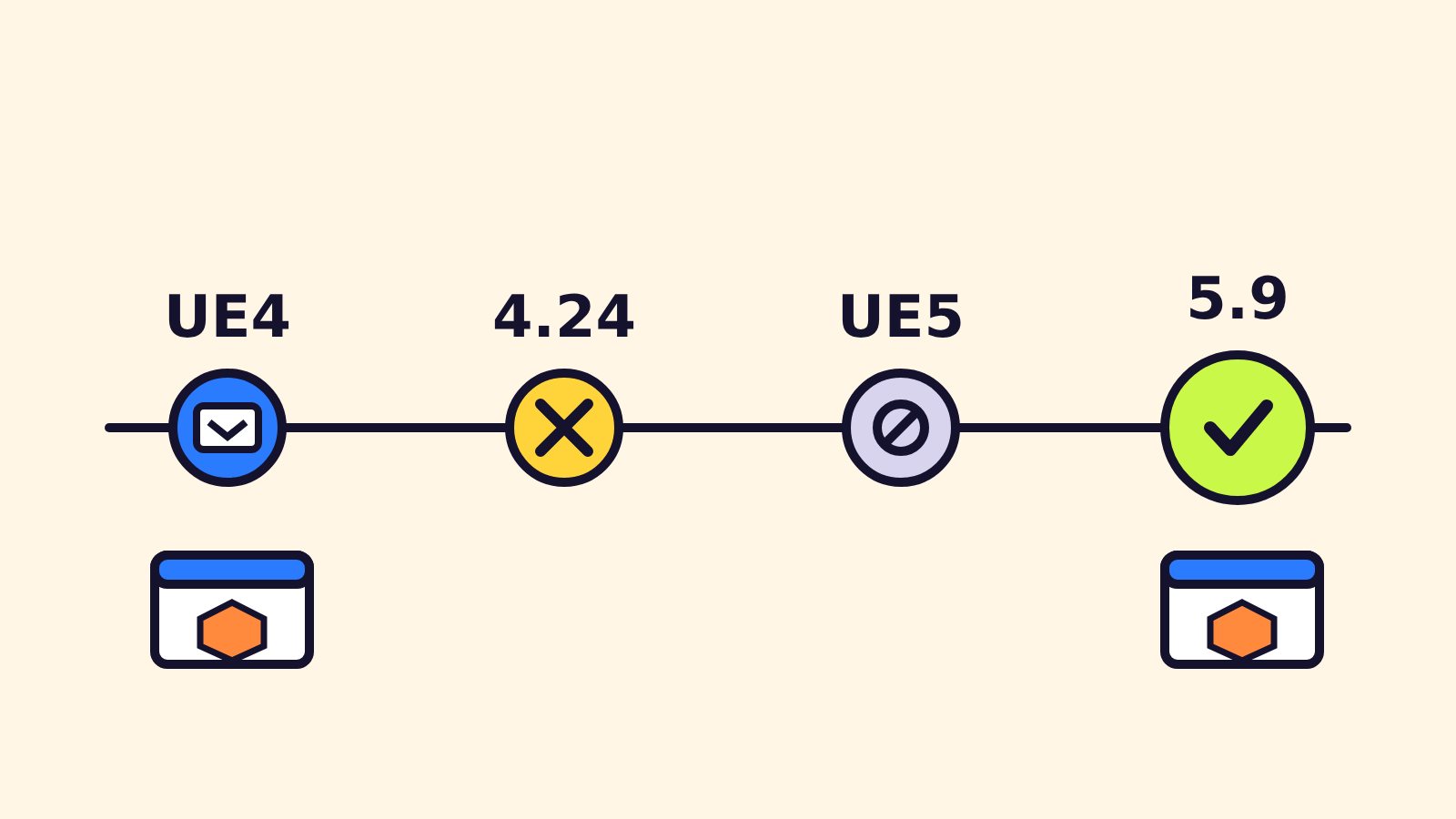
For anyone who builds games for the web, this is the part that matters. In the UE4 era, Unreal could export to HTML5; around version 4.24 that export moved to a community-supported extension, and UE5 shipped without an official browser target. According to Epic, the 5.9 web code was written by agents starting from UE4’s retired HTML5 platform, then directed, reviewed and tested by engineers.
What Epic has confirmed about the web target:
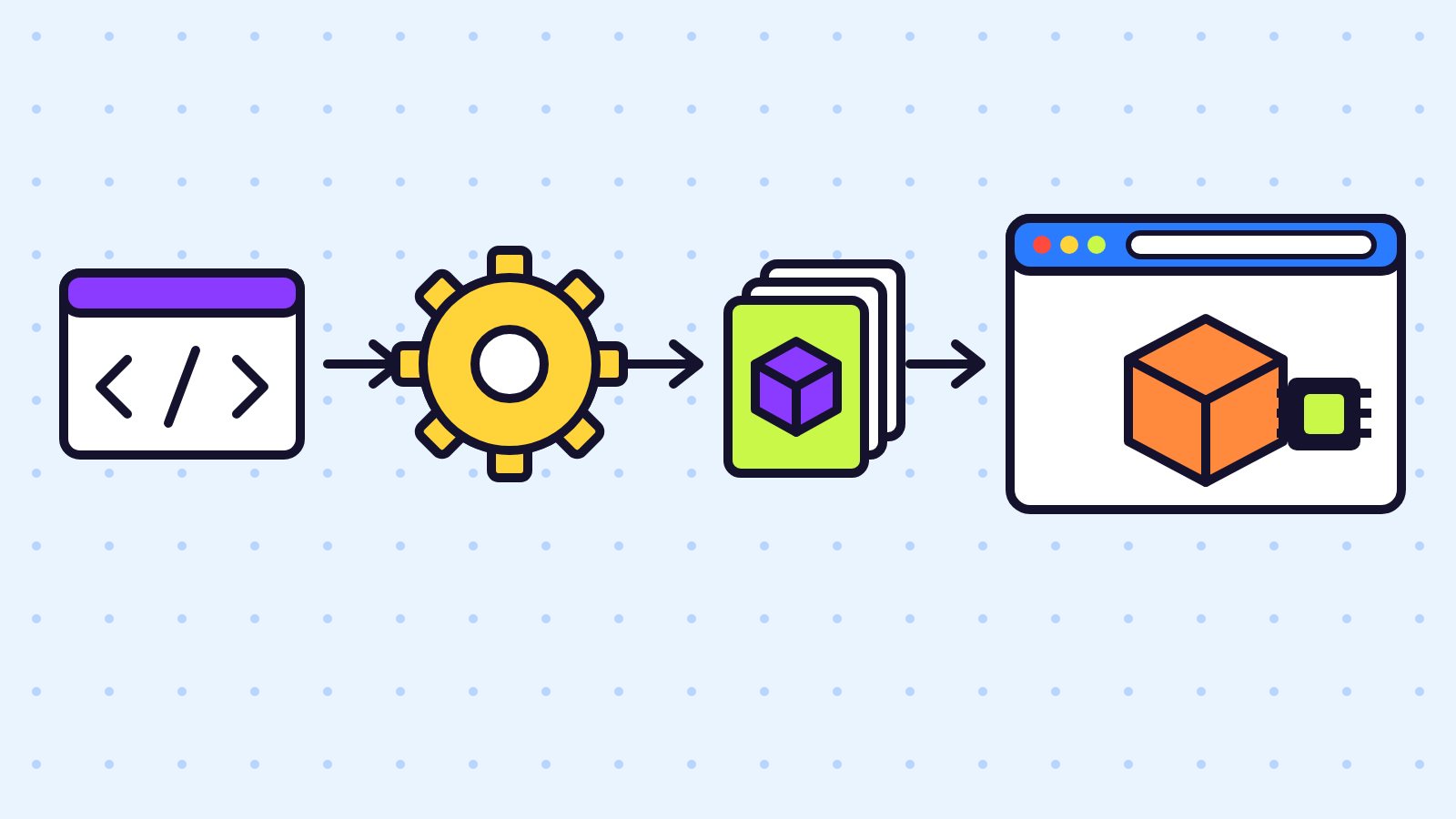
- WebAssembly + WebGPU. The release notes describe a new experimental WebAssembly target with its own project settings and WebGPU rendering support.
- Mobile renderer. The browser build uses Unreal’s mobile renderer, not the full desktop feature set.
- Source build + C++ only, for now. You need to compile the engine from source and use a C++ project.
- Chrome first. Epic says Chrome currently gives the best experience.
- Expect rough edges. Cook times are longer, performance can stumble, and parts of the web renderer are prototypes Epic plans to refactor before the full 5.9 release.
What it means for web and casual game developers
The browser is where casual players already are: no download, one link, instant play. A WebGPU path from Unreal opens that door for teams who know Unreal but have been shipping only to PC, console or mobile stores. It does not replace lightweight web engines today, though. A preview that needs a source build, runs best in one browser and still has prototype renderer code is a test bed, not a shipping pipeline.
| Your situation | Sensible move right now |
|---|---|
| You ship small HTML5 games (puzzle, idle, arcade) | Stay on your current web engine; watch 5.9 for the stable release |
| You are an Unreal team curious about web demos | Try 5.9 Preview on a copy of a C++ project and measure load time and frame rate |
| You are joining the Epic AI MegaJam | Use 5.9 Preview if you want browser play or the new AI tools; keep a backup build |
| You need Blueprint-only workflow in the browser | Not possible yet — the web target needs a C++ project |
The AI tools in Unreal Engine 5.9
Epic also ported AI tooling from its UE6 development branch into this preview. All of it is labelled experimental.
- Unreal MCP now starts automatically with the editor, connects more reliably and has toolsets for rendering, source control, profiling, debugging, gameplay testing, geometry, audio, UI and level creation. A Fab toolset lets agents search the Fab catalog, browse your library and install free or purchased assets into your project.
- Unreal Assistant is an in-editor panel where you can work with the coding agent you prefer — Claude Code, Codex, Cursor or OpenCode — connected to Unreal MCP.
- Expanded Python scripting covers audio, MetaSounds, modeling, physics, Niagara, materials, PCG, networking and UI, which also lets agents do more inside the editor.
- Unreal Canvas is a space, available as a web app and inside the editor, for generating concept art, images, 3D meshes and video from prompts, reference images or your own scenes. You connect the AI models you choose with your own API keys.
On the rendering side, the release notes list a Lumen World Cache that builds at runtime by path tracing (it requires Hardware Ray Tracing), automatic Nanite culling improvements, a new order-independent transparency method and an experimental Dynamic Wind plugin for foliage. These are desktop-class features; do not expect them in the mobile-renderer web build.
“Built with AI”: what Epic actually said
Epic calls this the first Unreal Engine release built primarily with agentic workflows. A handful of people directed fleets of agents to port the AI tooling and implement the web platform. Epic says it still has “lots to learn,” but already sees benefits: faster bug fixes and more UE5 releases without pulling focus from UE6.
The trade-off is spelled out too: about a week of development, a shorter QA pass than usual, agent-written code still being cleaned up. That is a good reason to treat the preview with extra care.
How to try the web target safely
- Duplicate your project. Epic recommends testing Previews on a copy instead of converting a live project.
- Get the engine. Use the Epic Games Launcher, or the
5.9.0-preview-1tag on GitHub if you need a source build (the web target requires one). - Use a C++ project. Blueprint-only projects cannot use the web target yet; add a C++ class or start from a C++ template.
- Test in Chrome first, then compare other browsers so you know where it breaks.
- Measure what players feel: first-load time, download size and frame rate on a mid-range laptop.
- Report bugs through Epic’s bug report page; Epic says it will fix issues throughout the preview period.
Full details are in the official Unreal Engine 5.9 Preview release notes and the 5.9 MegaJam Preview announcement.
FAQ
Can Unreal Engine 5.9 export games to the web?
Yes, as an experimental feature in the 5.9 Preview. It builds to WebAssembly and renders with WebGPU using the mobile renderer.
Does the Unreal web export work with Blueprint-only projects?
Not yet. In the preview the web target requires a source build of the engine and a C++ project.
Which browser works best with Unreal Engine 5.9 web builds?
Epic says Chrome currently offers the best experience. Test others too, because the feature is still experimental.
Is Unreal Engine 5.9 ready for commercial web games?
Not as a preview. Epic warns that Previews are unstable and that parts of the web renderer are prototypes to be refactored before the full 5.9 release.
Was Unreal Engine 5.9 really made with AI?
Epic says this preview is the first Unreal Engine release built primarily with agentic workflows, with engineers directing, reviewing and testing the agents’ work.
When is the 2026 Epic AI MegaJam?
November 12–15, 2026, online and in person in San Francisco on November 14–15. Registration is on the jam’s itch.io page.